Handleiding Geemarc Viso 50 Klok

Handleiding voor je Geemarc Viso 50 Klok nodig? Hieronder kun je de handleiding gratis bekijken en downloaden als PDF in het Nederlands en/of Engels. Dit product heeft 3 veelgestelde vragen, 0 comments en heeft 0 stemmen. Is dit niet de handleiding die je zoekt, neem dan contact met ons op.

Is je product kapot en biedt de handleiding geen oplossing meer? Dan kun je voor reparatie gratis terecht bij Repair Café.

Handleiding

Loading…
123
UserManual
Viso50–MSF(UK)
!!!PLEASEREFERTOOURWEBSITE:WWW.GEEMARC.COMFORAN
UPTODA TEUSERGUIDE,ASTHEREMAYBEIMPORTANTUPDATES
ANDCHANGESYOUNEEDTOBEAWAREOF!!!
1.Features
‐EasytoReadandUnderstandTimedisplay
‐PerpetualCalendarUptoYear2099
‐14languagesuserselectableatthestarting
‐Dayoftheweek,month,stageofthedayandtimemodes
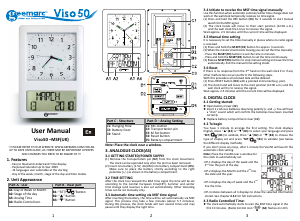
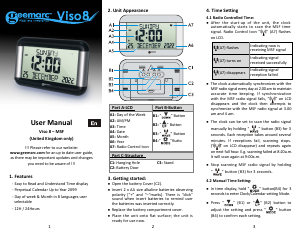
2.UnitAppearance
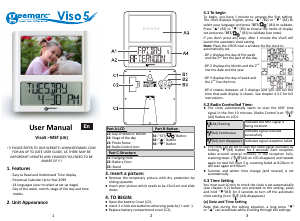
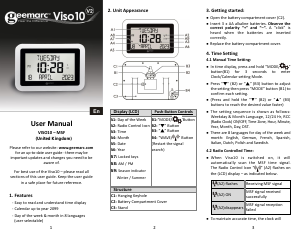
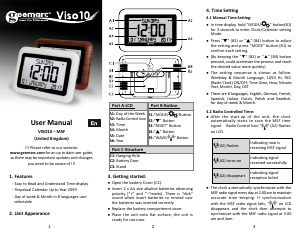
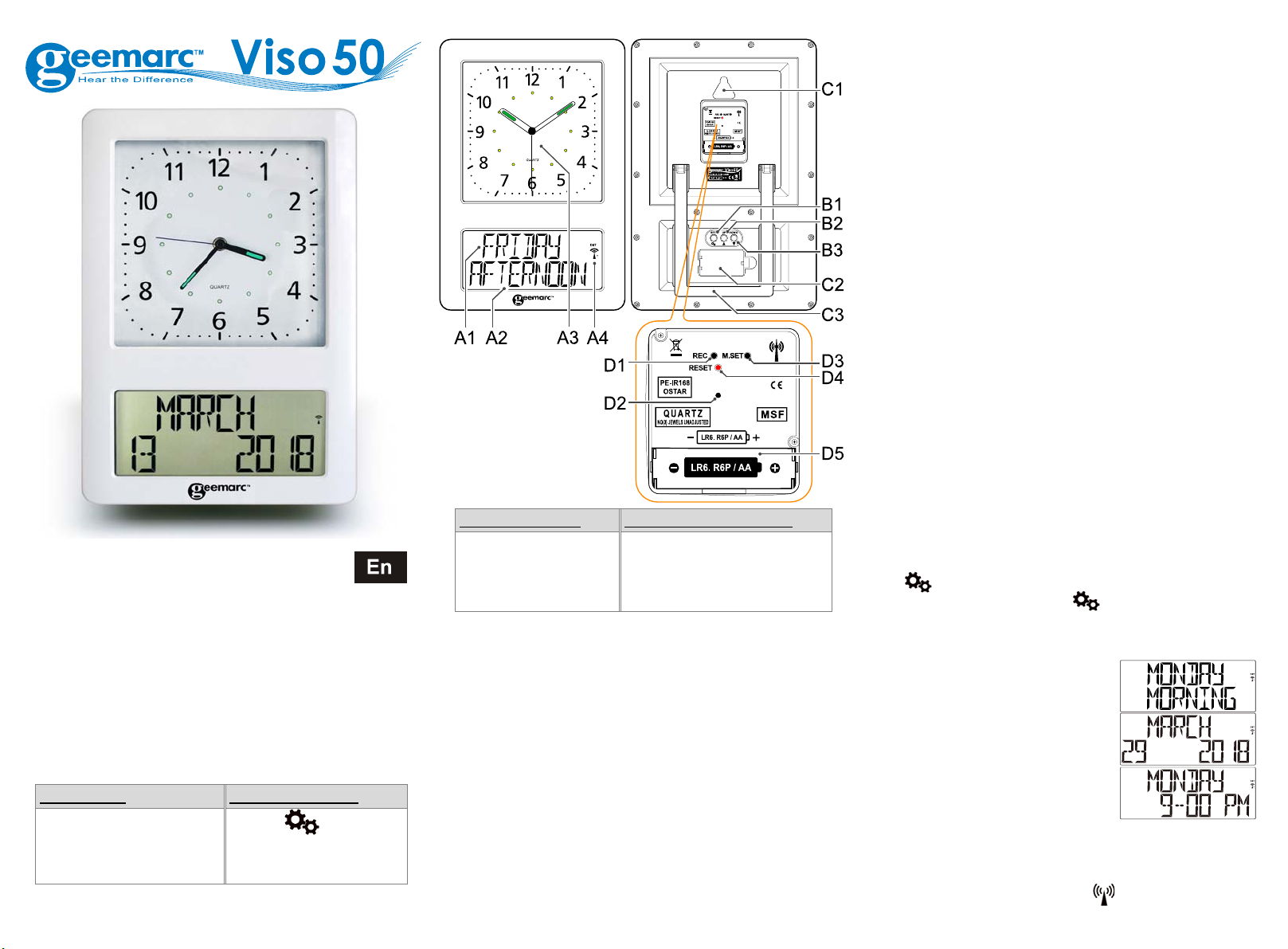
PartA‐LCD PartB‐Rearpart
A1:DayofWeekorMonth
A2:Stag eoftheday
A3:AnalogTime
A4:RadioControlIcon
B1:“SET/
”Button
B2:Button
B3:Button
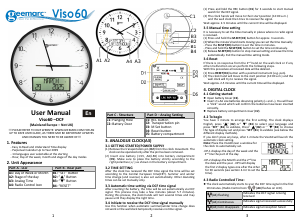
PartC‐Structure PartDAnalogSetting
C1:HangingHole
C2:BatteryDoor
C3:Stand
D1:RECbutton
D2:Transportationpin
D3:MSetbutton
D4:Resetbutton
D5:Batterycompartment
Note:Placetheclocknearawindow.
3.ANALOGUECLOCK(A3)
3.1GETTINGST ARTED/POWERSUPPLY
(1) Remove the transportation pin (D2) from the clock movement.
Theclockcanbeoperatedonlyafterthepinhasbeenremoved.
(2) Insertonebattery(1.5V,AA/LR6)intobatterycompartment(D5).
Make sure to place the battery strictly according to the right
polarities(+/)asshownin
thebatterycompartment.
3.2TIMESETTING
Aftertheclockhasreceivedthe MSFtimesignalthetimewillbeset
according to the Central European time(CET). Summer and winter
time change (and reverse) is also set automatically. Other deviating
timescanbesetmanuallyonly.
3.3AutomatictimesettingviaMSFtimesignal
Afterinsertingthebattery,thetimewillbesetautomaticallyviaMSF
signal. This process may take a few minutes (about 57 minutes).
During this process,the clockhandswillturnseveraltimesandmay
pauseuntiltheydisplaytherighttime.
3.4InitiatetoreceivetheMSFtimesignalmanually
Usethisfunctionwhenautomaticsummer/wintertimechangedoesnot
workorthewallclocktemporarilyreceivesnotimesignal.
(1) Press and hold the REC button (D1) for 3 seconds to start manual
searchfortheMSFsignal.
(2) The clock h ands will move to their start position (12:00
a.m.)
andthewallclockthentriestoreceivethesignal.
Waitapprox.25minutesuntilthecurrenttimewillbedisplayed.
3.5Manualtimeset ting
Itisnecessarytosetthetimemanuallyinplaceswherenoradiosignal
isreceived.
(1)PressandholdtheM.SET(D3)buttonforapprox.3seconds.
(2)Whentheminute’sha ndstartsmovingyoucansetthetimemanually:
‐PresstheM.SET(D3)buttontosetthe
timeinminutes.
‐PressandholdtheM.SET(D3)buttontosetthetimecontinuously.
(3)ReleaseM.SET(D3)buttontostopmanualsettingandsavethetime
automatically.Exitthem anualtimesettingmode.
3.6Reset
Ifthereisnoresponsefromthe2
nd
handonthewallclockiforifany
othermalfunctionoccursperformthefollowingsteps.
Withthisprocedureallreceiveddatawillbedeleted.
(1)PressRESETbutton(D4)withapointedinstrument(e.g.pen).
(2)Theclockhandwillmovetothestartposition(12:00a.m.)andthe
wallclockwilltrytoreceivethesignal.
Waitapprox.25minutesuntilthecurrenttim ewillbedisplayed.
4.DIGITALCLOCK
4.1Gettingstarted:
z OpenbatteryCover(C2).
z Insert2xAAsizebatteriesobservingpolarity(+and–).Youwillhear
a“c lick” soundwhichwillconfirmthebatterieshavebeeninserted
correctly.
z Replacebatterycompartmentcover(C2).
4.2Tobegin
You have 1 minute to arrange the first setting. The clock displays
English,press”(B2)or”(B3)toselectyourlanguageandpress
SET/
”(B1)tovalidate,Press”(B2)or”(B3)to choose the
type of display set and press SET/
”(B1) to validate (see below
thediff erentdisplaymethods).
Ifyoudon’tpressanykeys,after1minutetheViso50willlaunchthe
automaticclocksetting.
Note:PlacetheViso50nearawindowfor
theclocktoauto maticallyset.
DP1displaysthedayoftheweekandthe
2
nd
linethepartoftheday.
DP2displaystheMonthandthe2
nd
line
thedateandtheyear.
DP3displaysthedayofweekandthe2
nd
linethetime.
DP4rotatesbetweenall3displaystoshowtheselectedinformation
stored.Seechapter4.5.Cforfullinstructions.
4.3RadioControlledTime:
z TheclockautomaticallystartstoscantheMSFtimesignalinthe
first10minutes.(RadioControlIcon
(A4)flashesonLCD).
Download de handleiding in het Nederlands en/of Engels (PDF, 0.49 MB)
(Denk aan het milieu en print deze handleiding alleen als dat echt noodzakelijk is)

Loading…

Meer over deze handleiding

We begrijpen dat het prettig is om een papieren handleiding te hebben voor je Geemarc Viso 50 Klok. Je kunt de handleiding bij ons altijd downloaden en daarna zelf printen. Indien je graag een originele handleiding wilt hebben, raden we je aan contact op te nemen met Geemarc. Zij kunnen wellicht nog voorzien in een originele handleiding. Zoek je de handleiding van Geemarc Viso 50 Klok in een andere taal? Kies op de homepage je taal naar keuze en zoek daarna op het modelnummer om te zien of we deze beschikbaar hebben.

Specificaties

Merk Geemarc
Model Viso 50
Categorie Klokken
Bestandstype PDF
Bestandsgrootte 0.49 MB

Alle handleidingen voor Geemarc Klokken
Meer handleidingen voor Klokken

Veelgestelde vragen over Geemarc Viso 50 Klok

Ons supportteam zoekt dagelijks naar nuttige productinformatie en antwoorden op veelgestelde vragen. Als er onverhoopt toch een onjuistheid tussen onze veelgestelde vragen staat, laat het ons dan weten via het contactformulier.

Wat is een quartz-uurwerk? Geverifieerd

Horloges en klokken met een quartz-uurwerk worden aangedreven door een batterij. Deze stuurt een stroom door quartz kristallen die hierdoor gaan trillen. Deze trillingen worden doorgegeven naar het uurwerk. Omdat deze trillingen een vaste frequentie hebben, zijn horloges en klokken met een quartz-uurwerk extreem precies.

Ik vind dit nuttig (94) Lees meer

Wat is GMT Geverifieerd

GMT staat voor Greenwich Mean Time (en wordt soms UTC genoemd dat staat voor Coordinated Universal Time. Het is de tijd die geldt voor lengtegraad 0 die door Greenwich, in de buurt van Londen, loopt.

Ik vind dit nuttig (79) Lees meer

Wat is een 'Chronograph'? Geverifieerd

Een 'Chronograph' is letterlijk een 'tijdmeter'. Hier worden klokken en horloges bedoeld die de tijd weergeven en daarnaast ook de functie van een stopwatch hebben.

Ik vind dit nuttig (59) Lees meer

Beoordeling

Laat ons weten wat je van de Geemarc Viso 50 Klok vindt door een beoordeling achter te laten. Wil je je ervaringen met dit product delen of een vraag stellen? Laat dan een bericht achter onderaan de pagina.
Bent u tevreden over de Geemarc Viso 50 Klok?
Ja Nee
Beoordeel dit product als eerste
0 stemmen

Praat mee over dit product

Laat hier weten wat jij vindt van de Geemarc Viso 50 Klok. Als je een vraag hebt, lees dan eerst zorgvuldig de handleiding door. Een handleiding aanvragen kan via ons contactformulier.

Handleiding Geemarc Viso 50 Klok

Gerelateerde producten

Gerelateerde categorieën

×
Download