Handleiding Logik L20CHTW25 Kachel

Handleiding voor je Logik L20CHTW25 Kachel nodig? Hieronder kun je de handleiding gratis bekijken en downloaden als PDF in het Nederlands en/of Engels. Dit product heeft 2 veelgestelde vragen, 0 comments en heeft 0 stemmen. Is dit niet de handleiding die je zoekt, neem dan contact met ons op.

Is je product kapot en biedt de handleiding geen oplossing meer? Dan kun je voor reparatie gratis terecht bij Repair Café.

Handleiding

Loading…

IB-L20CHTW25-250328V1
Thank you for purchasing your new product.
We recommend that you spend some time reading this instruction manual in order that
you fully understand all the operational features it oers.
Read all the safety instructions carefully before use and keep this instruction manual for
future reference.
2kw Digital Convector
Heater with Timer
Instruction Manual
L20CHTW25
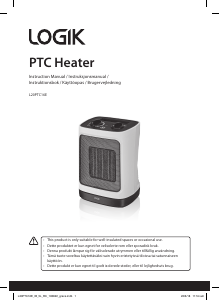
This product is only suitable for well-insulated spaces or occasional use.
Before using this appliance, read all safety instructions carefully rst in the Safety
Warnings booklet and keep them for future reference.
Product Overview
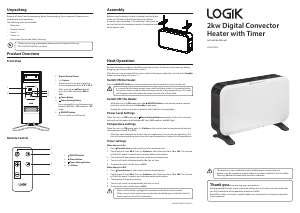
Front View
Unpacking
Remove all items from the packaging. Retain the packaging. If you dispose of it please do so
according to local regulations.
The following items are included:
Main Unit
Remote Control
Foot × 2
Screw × 4
Instruction Manual and Safety Warnings
Heat Operation
Position the heater upright on the oor away from curtains, furniture or wall coverings before
plugging your heater into the mains socket.
After the unit is connected with the mains socket with power supply, the unit will enter Standby
mode, and the display will show ––“.
Switch ON the Heater
Press the ON/OFF Button on the control panel or remote control to switch on the unit.
It is normal for the heater to emit some smell and fumes when it is turned on for the
rst time or when turned on after not being used for a long period of time. This smell
will disappear when the heater has been turned on for a short while.
Switch OFF the Heater
While the unit is in ON mode, press the ON/OFF Button on the control panel or remote
control to switch the unit into Standby mode again.
Unplug the unit from the mains socket to switch o the unit completely.
Power Level Settings
When the unit is in ON mode, press Power Setting Button repeatedly on the unit or remote
control to set the power level between H1 (low), H2 (medium) and H3 (high).
Temperature settings
When the unit is in ON mode, press +/– Button on the control panel or remote control to adust
the temperaure from 5°C to 35°C.
When the room temperature reaches the set temperature, the unit will stop operating. The
unit will resume operating again when the room temperature is below the set temperature.
Timer settings
When the unit is On:
1. Press
Timer Button on the control panel or remote control.
2. The display will show 00 h. Press +/– Button to adust the timer from 1h to 24h. The set time
will ash for about 5 seconds on the display before conrmation.
3. The display will alternatively show the set timer and temperature.
4. The unit will switch o automatically after the set time.
5. To cancel the timer, set the timer to 00 h.
When the unit is O:
1. Press
Timer Button on the control panel or remote control.
2. The display will show 00 h. Press +/– Button to adust the timer from 1h to 24h. The set time
will ash for about 5 seconds on the display before conrmation.
3. The display will show the set timer.
4. The unit will switch on automatically after the set time.
5. To cancel the timer, set the timer to 00 h.
Make sure the heater is plugged into a power socket for the timer to work.
When using in timer mode, due consideration should be given to the fact that the
heater may turn on whilst unattended.
If items are missing or damaged, please contact Partmaster (UK only).
Tel: 0344 800 3456 for assistance.
1. Digital Control Panel
2. +/– Button
When the unit is on, press to adjust
the set temperature from 5°C to 35°C.
After pressing the
Timer button,
press to set the timer from 00h to
24h.
3.
Timer Button
4.
Power Setting Button
Press repeatedly to set the power level
between H1 (low) / H2 (medium) / H3
(high).
5.
ON/OFF Button
Press to switch on/o the unit.
1.
ON/OFF Button
2.
Timer Button
3.
Power Setting Button
4. +/– Button
°C
h
1
2
3
4
5
Assembly
Before using the heater, the feet (supplied) must be tted
to the unit. Attach the feet to the base of the heater
using the screws provided (2 for each foot), taking care to
ensure that they are located correctly in the bottom ends
of the heater’s side.
Remote Control
1
3
4
2
Download de handleiding in het Nederlands en/of Engels (PDF, 0.41 MB)
(Denk aan het milieu en print deze handleiding alleen als dat echt noodzakelijk is)

Loading…

Meer over deze handleiding

We begrijpen dat het prettig is om een papieren handleiding te hebben voor je Logik L20CHTW25 Kachel. Je kunt de handleiding bij ons altijd downloaden en daarna zelf printen. Indien je graag een originele handleiding wilt hebben, raden we je aan contact op te nemen met Logik. Zij kunnen wellicht nog voorzien in een originele handleiding. Zoek je de handleiding van Logik L20CHTW25 Kachel in een andere taal? Kies op de homepage je taal naar keuze en zoek daarna op het modelnummer om te zien of we deze beschikbaar hebben.

Specificaties

Merk Logik
Model L20CHTW25
Categorie Kachels
Bestandstype PDF
Bestandsgrootte 0.41 MB

Alle handleidingen voor Logik Kachels
Meer handleidingen voor Kachels

Veelgestelde vragen over Logik L20CHTW25 Kachel

Ons supportteam zoekt dagelijks naar nuttige productinformatie en antwoorden op veelgestelde vragen. Als er onverhoopt toch een onjuistheid tussen onze veelgestelde vragen staat, laat het ons dan weten via het contactformulier.

Hoe beïnvloedt stof de efficiëntie van een verwarming? Geverifieerd

Stof kan zich ophopen op de verwarmingselementen en in de luchtfilters van een verwarming, waardoor de efficiëntie vermindert. Hierdoor kan de verwarming harder werken om dezelfde hoeveelheid warmte te produceren, wat leidt tot een hoger energieverbruik en hogere energierekeningen. Om de efficiëntie van uw verwarming te behouden, moet u deze regelmatig schoonmaken en indien nodig het luchtfilter vervangen.

Ik vind dit nuttig (203) Lees meer

Hoe bepaal ik de grootte van de verwarming die ik nodig heb voor een kamer? Geverifieerd

De grootte van de heater die je nodig hebt voor een ruimte hangt af van de grootte van de ruimte en de isolatie van de ruimte. Een algemene vuistregel is om 60 watt per vierkante meter ruimte te gebruiken. Als een kamer bijvoorbeeld 14 vierkante meter is, is een verwarming van 840 watt geschikt.

Ik vind dit nuttig (165) Lees meer

Beoordeling

Laat ons weten wat je van de Logik L20CHTW25 Kachel vindt door een beoordeling achter te laten. Wil je je ervaringen met dit product delen of een vraag stellen? Laat dan een bericht achter onderaan de pagina.
Bent u tevreden over de Logik L20CHTW25 Kachel?
Ja Nee
Beoordeel dit product als eerste
0 stemmen

Praat mee over dit product

Laat hier weten wat jij vindt van de Logik L20CHTW25 Kachel. Als je een vraag hebt, lees dan eerst zorgvuldig de handleiding door. Een handleiding aanvragen kan via ons contactformulier.

Handleiding Logik L20CHTW25 Kachel

Gerelateerde producten

Gerelateerde categorieën

×
Download