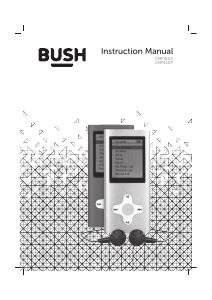
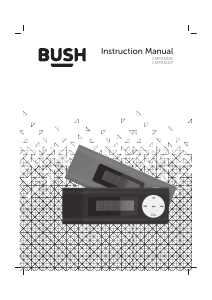
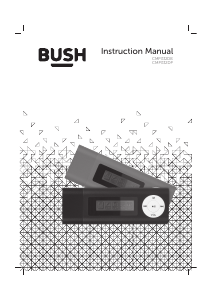
Handleiding Bush MP04C Mp3 speler

Handleiding voor je Bush MP04C Mp3 speler nodig? Hieronder kun je de handleiding gratis bekijken en downloaden als PDF in het Nederlands en/of Engels. Dit product heeft 4 veelgestelde vragen, 0 comments en heeft 0 stemmen. Is dit niet de handleiding die je zoekt, neem dan contact met ons op.

Is je product kapot en biedt de handleiding geen oplossing meer? Dan kun je voor reparatie gratis terecht bij Repair Café.

Handleiding

Loading…

Instruction manual
MP3 PLAYER
MP04C 8G PINK
Safety information
Important - Please read these instructions
fully before installing or operating
1
NOTE
Below contents are for how to use the device properly and
keep it in good condition, please read carefully
Avoid serious impact to the device.
Avoid contact of Benzene or any diluents.
Avoid closing to strong powerful magnetic or electric
fields.
Avoid direct sunshine or heating devices.
Do not try to disassemble, repair, or modify the device.
Do not use the device with earphone while bicycling,
driving, or motorcycling.
Do not listen to music with high volume to avoid damage
to your hearing.
Assort and dispose with care the used packing, used batteries,
used electrical devices.
You’ll soon be enjoying your new
MP3 PLAYER
It all begins here, with your instructions. Don’t worry,
there’s nothing too technical coming up. Just simple,
step-by-step guidance to get you up and running
quickly. Sound good? Then let’s get started.
Using your MP3 PLAYER
Let’s get started
2
1
4 5 6 7
2 3
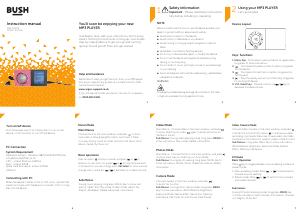
Device Layout
Keys’ Functions
Turn on/o device
PC Connection
Sub Menus
Video Camera Mode
FM Radio
Sub menus
Basic Operation
Video Mode
Photos Mode
System Requirement
Connecting with PC
Music Mode
Main Menus
Basic operation
Push the power switch to ON position to turn on the
device, to OFF position to turn o the device.
Operation SystemWindows 98/7/10/ME/2K/XP/Vista/
Linux9/Linux6.2/Mac os 10
CPUat least Pentium-133MHz
Ramat least 32MB
USB port
When the device is either at ON or OFF status, use the USB
cable that comes with the device to connect to PC to copy
files into the device.
Main Menus: Choose Video in the main window, and press
to show Directory list, press again to enter and show all
the files in the list.
Sub Menus: During video playing mode, long press MENU to
show sub menus: Play mode, Delete, Information.
Help and Guidance
www.argos-support.co.uk
If you still require further assistance, call one of our experts
on 0345 604 0105.
1. Menu KeyShort press to exit and return to upper menu,
long press to show sub menus.
2. Short press for previous track or option, long press
for fastrewind.
3. Short press for next track or option, long press for
fast forward.
4. : Play/ Pause key, also act as confirm key, long press
for shutting o device.
5. VOL Select keyVolume control, use / key to
decrease /increase volume.
During music playing, long press MENU key to show sub
menus: Select EQ, Play mode, Screen Mode, Add to My
Playlist, AB Repeat, Delete, Advanced, Information.
Choose Music in the main window, and press to show
main menus: Now playing(this menu won’t exist if there
is no play history, same for other functions), All Music, Artist,
Album, Genre, My Music List.
Main Menus: Choose Photos in the main window, and press
to show main menus: Directory List, Scan Mode.
Sub Menus: During photo viewing, long press MENU key to
show sub menus: Rotate, Zoom, Slideshow Interval, Delete,
Information.
Choose Video Camera in the main window, and press
to enter this function.Short press to start/pause video
recording, short press Menu key to save video clip.Video
Camera function does not support screen rotate function.
Sub Menus: Long press Menu key to show sub menus:
White Balance, Brightness, Exposure Mode, Special
Eect, Memory Free Space.
Press
key to toggle between manual seeking mode and
preset mode.
1. Manual seeking mode: Press or for backward or
forward manual seeking.
2. Preset mode: Press or to switch from scanned
and saved channels
During FM radio listening mode, long press MENU key
to show sub menus: Save Channel, Auto Search, Channel
List, Region, Mute, Exit.
User can press for play or pause, and press or for
previous or next track. Long press or for skip fast backward
or forward. For volume change, press Vol Select to show volume
change menu, and press or to decrease or increase volume.
To prevent possible hearing damage, do not listen to this radio
at high volume levels for long periods of time.
WARNING:
We’re here to help you get the most from your MP3 player.
can be
found online at:
Should you require any guidance, a simple solution often
Camera Mode
Choose Camera in the main window, and press
to enter this function.
Sub Menus: During photo taking mode, long press MENU
key to show sub menus: White Balance, Brightness,
Exposure Mode, Special Eect, Resolution, Memory
Free Space, Self-timer, Shutter Sound, Date Stamp.
Spare Hard disk spaceat least 100MB
Download de handleiding in het Nederlands en/of Engels (PDF, 0.58 MB)
(Denk aan het milieu en print deze handleiding alleen als dat echt noodzakelijk is)

Loading…

Meer over deze handleiding

We begrijpen dat het prettig is om een papieren handleiding te hebben voor je Bush MP04C Mp3 speler. Je kunt de handleiding bij ons altijd downloaden en daarna zelf printen. Indien je graag een originele handleiding wilt hebben, raden we je aan contact op te nemen met Bush. Zij kunnen wellicht nog voorzien in een originele handleiding. Zoek je de handleiding van Bush MP04C Mp3 speler in een andere taal? Kies op de homepage je taal naar keuze en zoek daarna op het modelnummer om te zien of we deze beschikbaar hebben.

Specificaties

Merk Bush
Model MP04C
Categorie Mp3 spelers
Bestandstype PDF
Bestandsgrootte 0.58 MB

Alle handleidingen voor Bush Mp3 spelers
Meer handleidingen voor Mp3 spelers

Veelgestelde vragen over Bush MP04C Mp3 speler

Ons supportteam zoekt dagelijks naar nuttige productinformatie en antwoorden op veelgestelde vragen. Als er onverhoopt toch een onjuistheid tussen onze veelgestelde vragen staat, laat het ons dan weten via het contactformulier.

Als ik een koptelefoon op mijn apparaat aansluit dan doet deze het niet goed, wat kan ik doen? Geverifieerd

Het is mogelijk dat er opgehoopt vuil in de opening zit waarop de koptelefoon wordt aangesloten en dat deze hierdoor slecht contact maakt. De beste manier om dit te reinigen is door middel van perslucht. Laat dit in geval van twijfel doen door een professional.

Ik vind dit nuttig (51) Lees meer

Wat is het verschil tussen Mp3, WAV, AIFF en FLAC? Geverifieerd

Het verschil is dat WAV, AIFF en FLAC lossless formaten zijn, terwijl Mp3 een lossy formaat is. Dit betekent dat er voor Mp3 een hogere mate van compressie wordt gebruikt. Hierdoor zijn de bestanden kleiner, maar is de kwaliteit ook lager.

Ik vind dit nuttig (37) Lees meer

Waar staat Mp3 voor? Geverifieerd

Mp3 is een afkorting voor MPEG3. Dit staat voor Moving Picture Experts Group Layer-3 Audio. Mp3 is het meest gebruikte bestandsformaat voor het opslaan en afspelen van muziek en andere vormen van audio.

Ik vind dit nuttig (26) Lees meer

Hoeveel zijn kilobyte, megabyte, gigabyte en terabyte? Geverifieerd

Een kilobyte (KB) bestaat uit 1000 bytes. 1 megabyte (MB) = 1000 kilobyte. 1 gigabyte (GB) = 1000 megabyte. 1 terabyte (TB) = 1000 gigabyte.

Ik vind dit nuttig (22) Lees meer

Beoordeling

Laat ons weten wat je van de Bush MP04C Mp3 speler vindt door een beoordeling achter te laten. Wil je je ervaringen met dit product delen of een vraag stellen? Laat dan een bericht achter onderaan de pagina.
Bent u tevreden over de Bush MP04C Mp3 speler?
Ja Nee
Beoordeel dit product als eerste
0 stemmen

Praat mee over dit product

Laat hier weten wat jij vindt van de Bush MP04C Mp3 speler. Als je een vraag hebt, lees dan eerst zorgvuldig de handleiding door. Een handleiding aanvragen kan via ons contactformulier.

Handleiding Bush MP04C Mp3 speler

Gerelateerde producten

Gerelateerde categorieën

×
Download