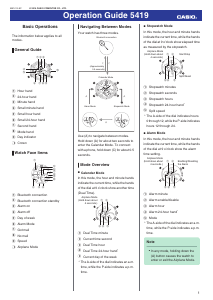
Handleiding Casio 5560 Uurwerk

Handleiding voor je Casio 5560 Uurwerk nodig? Hieronder kun je de handleiding gratis bekijken en downloaden als PDF in het Nederlands en/of Engels. Dit product heeft 1 veelgestelde vraag, 0 comments en heeft 0 stemmen. Is dit niet de handleiding die je zoekt, neem dan contact met ons op.

Is je product kapot en biedt de handleiding geen oplossing meer? Dan kun je voor reparatie gratis terecht bij Repair Café.

Handleiding

Loading…
Basic Operations
This section provides an overview of the watch
and its operations.
Note
The illustrations included in this
operation guide have been created
to facilitate explanation. An
illustration may differ somewhat
from the item it represents.
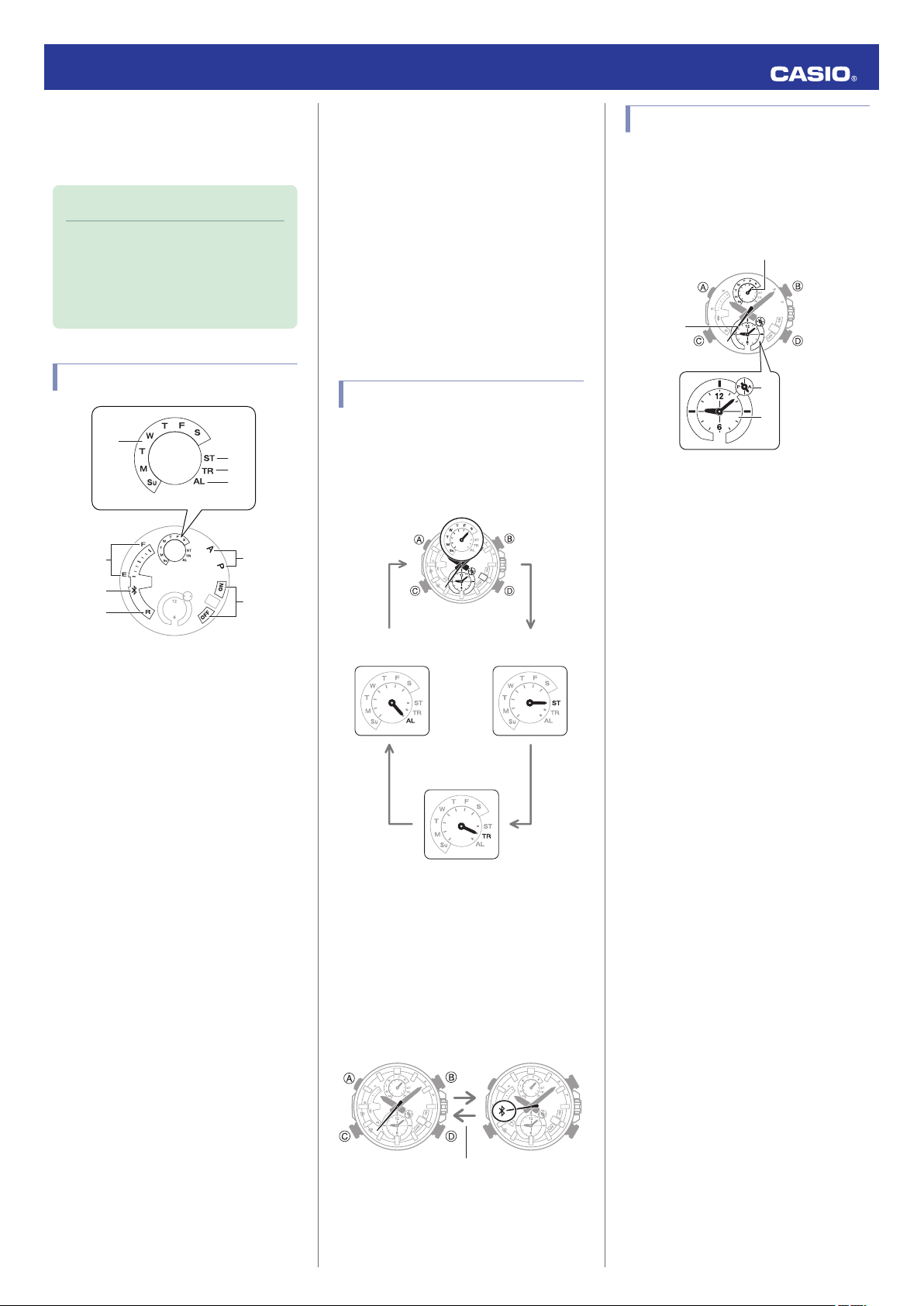
Watch Face Items
A
Day of week
In the Calendar Mode, the mode hand points
to the current day of the week.
B
[ST]
In the Stopwatch Mode, the mode hand points
to [ST].
C
[TR]
In the Timer Mode, the mode hand points to
[TR].
D
[AL]
In the Alarm Mode, the mode hand points to
[AL].
E
Charge level
The second hand indicates the current battery
charge level in this area when (D) is pressed
in the Calendar Mode.
F
e
When the watch is connected with a phone,
the second hand points to e.
G
[R]
When the watch is standing by for connection
with a phone, the second hand points to [R].
H
[A] / [P]
When configuring time settings in your current
location (Home City), the second hand
indicates whether it is an a.m. time or a p.m.
time.
[A]: AM
[P]: PM
I
Alarm settings
In the Alarm Mode, the second hand indicates
if the alarm turned on or off.
[ON]: Alarm turned on
[OFF]: Alarm turned off
Navigating Between Modes
Press (A) to cycle between modes.
Hold down (A) for about two seconds to
enter the Calendar Mode.
AA
AA
30
Timer Mode
Stopwatch Mode
Calendar Mode
Alarm Mode
Connecting with a Phone
Hold down (C) for about two seconds to
establish a connection with a phone.
To disconnect, press any other button.
The watch cannot connect with a phone
while a stopwatch measurement or timer
operation is in progress.
C
30
30
Any button
After connectionBefore connection
Mode Overview
Calendar Mode
In this mode, the main hour and minute hands
indicate the current time in your current
location (Home City), while the dial hour and
minute hands show another time (Dual Time).
30
Charge level
Illumination
A
Current day of the week in your current
location (Home City)
B
Current second in your current location
(Home City)
C
Dual Time
D
Dual Time 24-hour hand
The hand points to the A-side for a.m. times,
and to the P-side for p.m. times.
Checking the Charge Level
Press (D) to have the second hand indicate
the current battery charge level.
l
Checking the Charge Level
Swapping the Current Location Time and
World Time
Hold down (B) for about three seconds.
Phone Finder
Hold down (D) for about 1.5 seconds.
Operation Guide 5560
2
Download de handleiding in het Nederlands en/of Engels (PDF, 0.89 MB)
(Denk aan het milieu en print deze handleiding alleen als dat echt noodzakelijk is)

Loading…

Meer over deze handleiding

We begrijpen dat het prettig is om een papieren handleiding te hebben voor je Casio 5560 Uurwerk. Je kunt de handleiding bij ons altijd downloaden en daarna zelf printen. Indien je graag een originele handleiding wilt hebben, raden we je aan contact op te nemen met Casio. Zij kunnen wellicht nog voorzien in een originele handleiding. Zoek je de handleiding van Casio 5560 Uurwerk in een andere taal? Kies op de homepage je taal naar keuze en zoek daarna op het modelnummer om te zien of we deze beschikbaar hebben.

Specificaties

Merk Casio
Model 5560
Categorie Uurwerken
Bestandstype PDF
Bestandsgrootte 0.89 MB

Alle handleidingen voor Casio Uurwerken
Meer handleidingen voor Uurwerken

Veelgestelde vragen over Casio 5560 Uurwerk

Ons supportteam zoekt dagelijks naar nuttige productinformatie en antwoorden op veelgestelde vragen. Als er onverhoopt toch een onjuistheid tussen onze veelgestelde vragen staat, laat het ons dan weten via het contactformulier.

Wat is een quartz-uurwerk? Geverifieerd

Horloges en klokken met een quartz-uurwerk worden aangedreven door een batterij. Deze stuurt een stroom door quartz kristallen die hierdoor gaan trillen. Deze trillingen worden doorgegeven naar het uurwerk. Omdat deze trillingen een vaste frequentie hebben, zijn horloges en klokken met een quartz-uurwerk extreem precies.

Ik vind dit nuttig (30) Lees meer

Beoordeling

Laat ons weten wat je van de Casio 5560 Uurwerk vindt door een beoordeling achter te laten. Wil je je ervaringen met dit product delen of een vraag stellen? Laat dan een bericht achter onderaan de pagina.
Bent u tevreden over de Casio 5560 Uurwerk?
Ja Nee
Beoordeel dit product als eerste
0 stemmen

Praat mee over dit product

Laat hier weten wat jij vindt van de Casio 5560 Uurwerk. Als je een vraag hebt, lees dan eerst zorgvuldig de handleiding door. Een handleiding aanvragen kan via ons contactformulier.

Handleiding Casio 5560 Uurwerk

Gerelateerde producten

Gerelateerde categorieën

×
Download