Handleiding DxO FilmPack 4

Handleiding voor je DxO FilmPack 4 nodig? Hieronder kun je de handleiding gratis bekijken en downloaden als PDF in het Nederlands en/of Engels. Dit product heeft 0 veelgestelde vragen, 0 comments en heeft 0 stemmen. Is dit niet de handleiding die je zoekt, neem dan contact met ons op.

Is je product kapot en biedt de handleiding geen oplossing meer? Dan kun je voor reparatie gratis terecht bij Repair Café.

Handleiding

Loading…
5
DxO FilmPack 4 - User Guide - Copyright © DxO Labs 1999-2013 - All rights reserved
1.1. Welcome
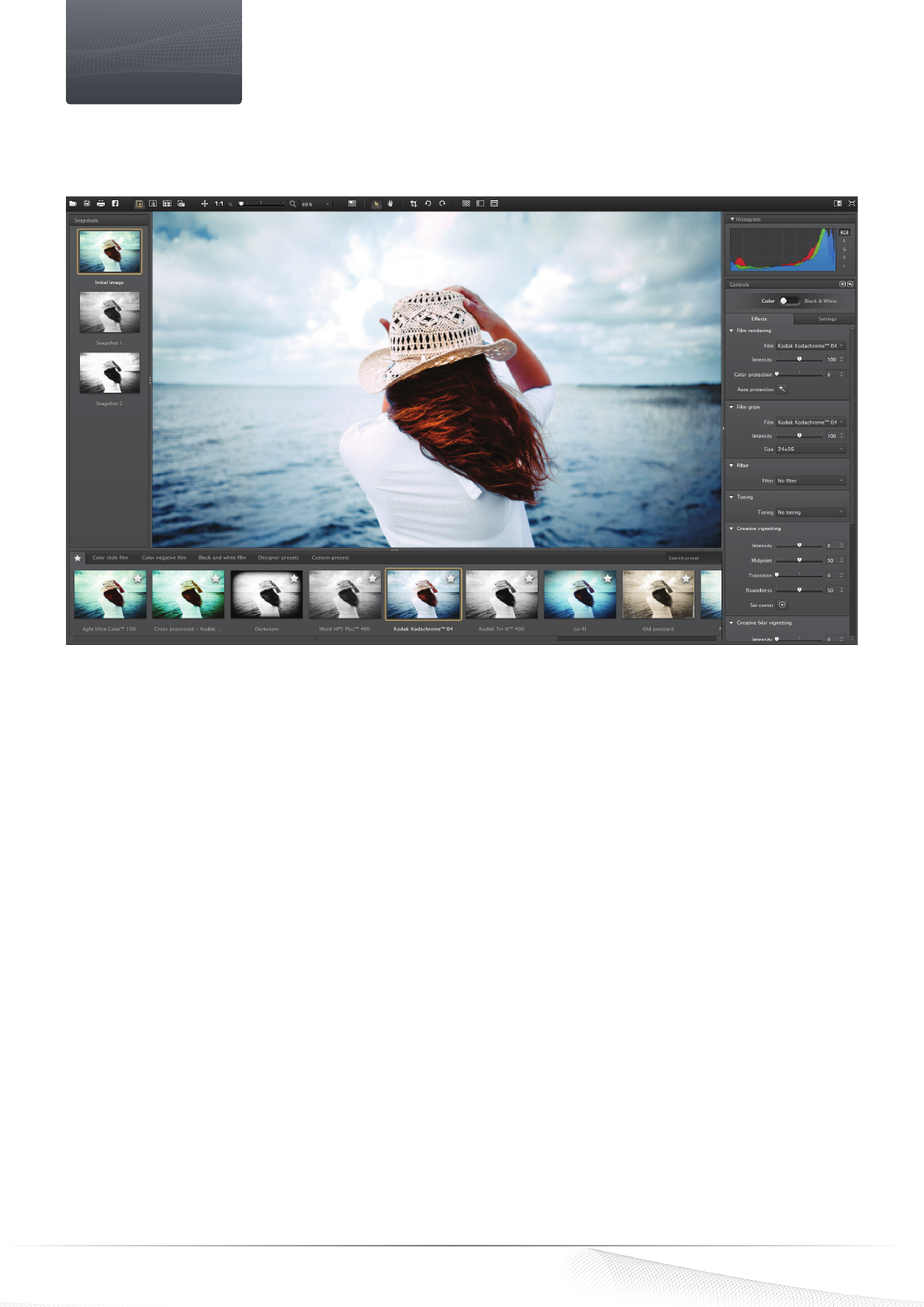
Thank you for choosing DxO FilmPack 4. DxO FilmPack 4 helps you infuse your digital photos with all the quality and emotion of Fine
Art photography, thanks to its accurately-reproduced silver halide and color film quality renderings and numerous creative effects.
All the emotion of analog film in just one click
Based on DxO Labs’ advanced calibration technologies, DxO FilmPack 4 faithfully reproduces the characteristics of color, contrast,
saturation, and grain of dozens of legendary analog films. Choose the film that suits you best: up to 26 black & white films and 36
different color films are available to help you reveal your artistic leanings or to rediscover a familiar style.
Boundless creativity
A genuine toolbox for all photographers, DxO FilmPack 4 offers numerous Designer presets (i.e., a set of parameters that
reproduces the characteristics particular film styles). Vintage effects, “aged” photos, improbable tints: rediscover the charm of
gentle sepia tones coupled with fine grain for an old-fashioned look, or enjoy modern, eye-poppingly vivid colors reinforced by
an infrared rendering. Thanks to DxO FilmPack 4’s new creative effects – creative blur vignetting, textures, framing, and edge
distortion – you can give an even more unique look to your photos.
The natural beauty of film grain
Add grain to your digital photos to rediscover the authenticity of a silver halide film. Use DxO FilmPack 4’s denoising tool to
suppress digital noise and replace it with a smooth grain, all without denaturing or damaging the quality of your images. Many
different grain styles are available.
Quick and easy
DxO FilmPack 4 offers a large workspace with simple and intuitive control palettes. To start, you can choose one of the many included
presets, and then, thanks to the control panel, you can apply your own settings in just a few clicks. You can also create your own
presets by saving your settings for intensity, grain, and contrast so as to easily apply them to other photos in your image library.
Introduction
Download de handleiding in het Nederlands en/of Engels (PDF, 9.48 MB)
(Denk aan het milieu en print deze handleiding alleen als dat echt noodzakelijk is)

Loading…

Meer over deze handleiding

We begrijpen dat het prettig is om een papieren handleiding te hebben voor je DxO FilmPack 4. Je kunt de handleiding bij ons altijd downloaden en daarna zelf printen. Indien je graag een originele handleiding wilt hebben, raden we je aan contact op te nemen met DxO. Zij kunnen wellicht nog voorzien in een originele handleiding. Zoek je de handleiding van DxO FilmPack 4 in een andere taal? Kies op de homepage je taal naar keuze en zoek daarna op het modelnummer om te zien of we deze beschikbaar hebben.

Specificaties

Merk DxO
Model FilmPack 4
Categorie Software
Bestandstype PDF
Bestandsgrootte 9.48 MB

Alle handleidingen voor DxO Software
Meer handleidingen voor Software

Beoordeling

Laat ons weten wat je van de DxO FilmPack 4 vindt door een beoordeling achter te laten. Wil je je ervaringen met dit product delen of een vraag stellen? Laat dan een bericht achter onderaan de pagina.
Bent u tevreden over de DxO FilmPack 4?
Ja Nee
Beoordeel dit product als eerste
0 stemmen

Praat mee over dit product

Laat hier weten wat jij vindt van de DxO FilmPack 4. Als je een vraag hebt, lees dan eerst zorgvuldig de handleiding door. Een handleiding aanvragen kan via ons contactformulier.

Handleiding DxO FilmPack 4

Gerelateerde producten

Gerelateerde categorieën

×
Download