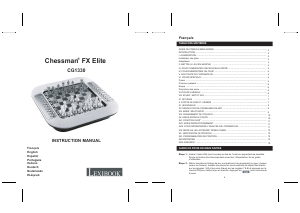
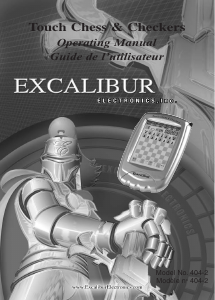
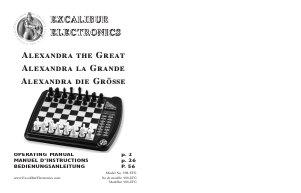
Handleiding Excalibur 404-2 Schaakcomputer

Handleiding voor je Excalibur 404-2 Schaakcomputer nodig? Hieronder kun je de handleiding gratis bekijken en downloaden als PDF in het Nederlands en/of Engels. Dit product heeft 0 veelgestelde vragen, 0 comments en heeft 1 stem met een gemiddelde score van 0/100. Is dit niet de handleiding die je zoekt, neem dan contact met ons op.

Is je product kapot en biedt de handleiding geen oplossing meer? Dan kun je voor reparatie gratis terecht bij Repair Café.

Handleiding

Loading…

IMPORTANT NOTE:
When you are in check, you have
very few moves. If you find you
can’t select the move you want to
make, look for the ‘+’ check sign.
You probably forgot you are in
check.
or pawn you wish to move. You'll
hear a beep and the piece wil flash.
If you hear an error buzz and the
piece does not flash, that piece
cannot legally move anywhere. If
you change your mind and want to
move a different piece, simply
press the From square again to
cancel the move.
Now gently press on the center of
the square you want to move it To.
You'll hear a beep, letting you know
your move has been registered.
After you make your move, Touch
Chess will reply with its move auto-
matically. You’ll see the piece flash
on its From square and move to its
To square. Throughout the game,
the display at the top keeps track of
the move number and the elapsed
time for each move.
Special Touch Areas
Features are controlled by four spe-
cial areas above the chess board
and six Function keys. The four
function areas are:
THREAT AREA
If the Threat Warning Indicator (!) is
on, pressing the center of this area
will flash the threatening move on
the chess board.
COLOR AREA
Press this area during Setup mode
to change the color of the side to
move.
SCORE AREA
Press the center of this area to
change between displaying the
number of the current move to dis-
playing the position score.
Pressing it again will return the dis-
play to the move number. The scor-
ing totals the following values:
Pawns–1, Knights–3, Bishops–3,
Rooks–5, and Queen–9.
CLOCK AREA
Your Touch Chess normally shows
the time taken for each move.
Press the center of this area to
instead show the total game time.
Press again to return to move time.
Function Keys
There are more special features
than there are keys, so each key
has two labels. The label below a
key shows the primary function of
the key. The label above a key
shows its secondary function.
2
Download de handleiding in het Nederlands en/of Engels (PDF, 1.23 MB)
(Denk aan het milieu en print deze handleiding alleen als dat echt noodzakelijk is)

Loading…

Meer over deze handleiding

We begrijpen dat het prettig is om een papieren handleiding te hebben voor je Excalibur 404-2 Schaakcomputer. Je kunt de handleiding bij ons altijd downloaden en daarna zelf printen. Indien je graag een originele handleiding wilt hebben, raden we je aan contact op te nemen met Excalibur. Zij kunnen wellicht nog voorzien in een originele handleiding. Zoek je de handleiding van Excalibur 404-2 Schaakcomputer in een andere taal? Kies op de homepage je taal naar keuze en zoek daarna op het modelnummer om te zien of we deze beschikbaar hebben.

Specificaties

Merk Excalibur
Model 404-2
Categorie Schaakcomputers
Bestandstype PDF
Bestandsgrootte 1.23 MB

Alle handleidingen voor Excalibur Schaakcomputers
Meer handleidingen voor Schaakcomputers

Beoordeling

Laat ons weten wat je van de Excalibur 404-2 Schaakcomputer vindt door een beoordeling achter te laten. Wil je je ervaringen met dit product delen of een vraag stellen? Laat dan een bericht achter onderaan de pagina.
Bent u tevreden over de Excalibur 404-2 Schaakcomputer?
Ja Nee
0%
100%
1 stem

Praat mee over dit product

Laat hier weten wat jij vindt van de Excalibur 404-2 Schaakcomputer. Als je een vraag hebt, lees dan eerst zorgvuldig de handleiding door. Een handleiding aanvragen kan via ons contactformulier.

Handleiding Excalibur 404-2 Schaakcomputer

Gerelateerde producten

Gerelateerde categorieën

×
Download