Handleiding Karlsson KA5982OR Wekker

Handleiding voor je Karlsson KA5982OR Wekker nodig? Hieronder kun je de handleiding gratis bekijken en downloaden als PDF in het Nederlands en/of Engels. Dit product heeft 0 veelgestelde vragen, 0 comments en heeft 0 stemmen. Is dit niet de handleiding die je zoekt, neem dan contact met ons op.

Is je product kapot en biedt de handleiding geen oplossing meer? Dan kun je voor reparatie gratis terecht bij Repair Café.

Handleiding

Loading…

INSTRUCTION MANUAL | ALARM CLOCK SPRY KA5981 - KA8982
Karlsson is a trademark of Present Time®
Televisieweg 16, 1322 AL, Almere
www.presenttime.com
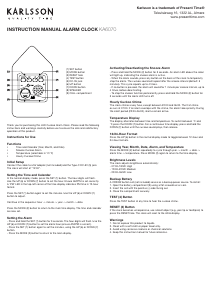
FEATURES
Display modes:
DP-1 – Time, date, and temperature cycle
automatically
DP-2 – Fixed time display
Calendar: Years 2000–2099
12/24-hour format selectable (default is 24-hour
format; date: 1 January 2016; time: 12:00)
Three alarms can be set. Each alarm lasts 1 minute.
Alarm sound: “bi bi bi...”
Auto-dimming: from 18:00 to 07:00, the brightness
is halved. Four brightness levels available: L0, L1,
L2, L3
Powered by 3x AAA batteries or DC 5V/500mA via
USB (cable included, batteries not included).
Sound control is recommended when using batteries
to save power.
Sound control mode: Power-saving function that
turns off the display when inactive
PACKING LIST
Please check the contents when opening the box:
1x digital wooden clock
1x user manual
1x 1-metre USB cable
DISPLAY AND BUTTONS
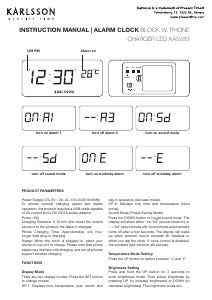
Display mode selection (DP-1 / DP-2):
Default mode is DP-1. Press the SET button to
toggle between DP-1 and DP-2.
Sound control (for battery use):
Press the DOWN button to switch sound control on
or off.
“on:SD” means sound control is active – the display
turns off after 15 seconds and lights up again with
sound over 60 dB (e.g. clap or tap).
“--:SD” means sound control is off – the display
stays on.
Temperature unit:
Press the UP button to switch between Celsius (°C)
and Fahrenheit (°F).
To set time, date and alarms:
Press and hold the SET button for 3 seconds to enter
setting mode. The following order applies:
YEAR -> MONTH -> DATE -> HOUR -> MINUTE ->
12H/24H -> Alarm menu -> ALA1 -> ALA2 -> ALA3
When a value ashes, use UP or DOWN to adjust:
Year, month, date, hour, minute, 12/24-hour format
Alarms: enable/disable ALA1/ALA2/ALA3, then set
the hour and minute for each
Note: In 12-hour format, “PM” appears for afternoon
times.
Press SET to conrm and move to the next item.
Brightness adjustment:
Press and hold UP for 3 seconds to enter brightness
settings. “L3” appears by default.
Press DOWN to lower the brightness (L2, L1, L0).
Press UP to raise it.
Hold UP for 3 seconds again to exit.
Reset (RST):
If the clock behaves unexpectedly, press the RST
button to reset.
PRECAUTIONS
Use only in dry areas. Wooden housing may be
damaged by moisture, heat, vibration or constant
temperature changes.
Avoid dropping the clock.
Use high-quality AAA alkaline batteries. If the display
dims or blinks, replace the batteries to prevent
leakage.
If the clock stops working, check the batteries are
installed correctly.
Compatible power supply: DC 5V, 500–1000mA (use
a suitable adapter).
Download de handleiding in het Nederlands en/of Engels (PDF, 0.3 MB)
(Denk aan het milieu en print deze handleiding alleen als dat echt noodzakelijk is)

Loading…

Meer over deze handleiding

We begrijpen dat het prettig is om een papieren handleiding te hebben voor je Karlsson KA5982OR Wekker. Je kunt de handleiding bij ons altijd downloaden en daarna zelf printen. Indien je graag een originele handleiding wilt hebben, raden we je aan contact op te nemen met Karlsson. Zij kunnen wellicht nog voorzien in een originele handleiding. Zoek je de handleiding van Karlsson KA5982OR Wekker in een andere taal? Kies op de homepage je taal naar keuze en zoek daarna op het modelnummer om te zien of we deze beschikbaar hebben.

Specificaties

Merk Karlsson
Model KA5982OR
Categorie Wekkers
Bestandstype PDF
Bestandsgrootte 0.3 MB

Alle handleidingen voor Karlsson Wekkers
Meer handleidingen voor Wekkers

Beoordeling

Laat ons weten wat je van de Karlsson KA5982OR Wekker vindt door een beoordeling achter te laten. Wil je je ervaringen met dit product delen of een vraag stellen? Laat dan een bericht achter onderaan de pagina.
Bent u tevreden over de Karlsson KA5982OR Wekker?
Ja Nee
Beoordeel dit product als eerste
0 stemmen

Praat mee over dit product

Laat hier weten wat jij vindt van de Karlsson KA5982OR Wekker. Als je een vraag hebt, lees dan eerst zorgvuldig de handleiding door. Een handleiding aanvragen kan via ons contactformulier.

Handleiding Karlsson KA5982OR Wekker

Gerelateerde producten

Gerelateerde categorieën

×
Download