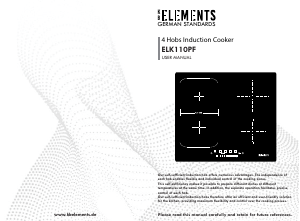
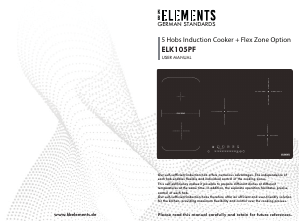
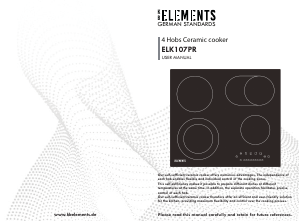
Handleiding KB Elements ELK104PF Kookplaat

Handleiding voor je KB Elements ELK104PF Kookplaat nodig? Hieronder kun je de handleiding gratis bekijken en downloaden als PDF in het Nederlands en/of Engels. Dit product heeft 3 veelgestelde vragen, 0 comments en heeft 0 stemmen. Is dit niet de handleiding die je zoekt, neem dan contact met ons op.

Is je product kapot en biedt de handleiding geen oplossing meer? Dan kun je voor reparatie gratis terecht bij Repair Café.

Handleiding

Loading…
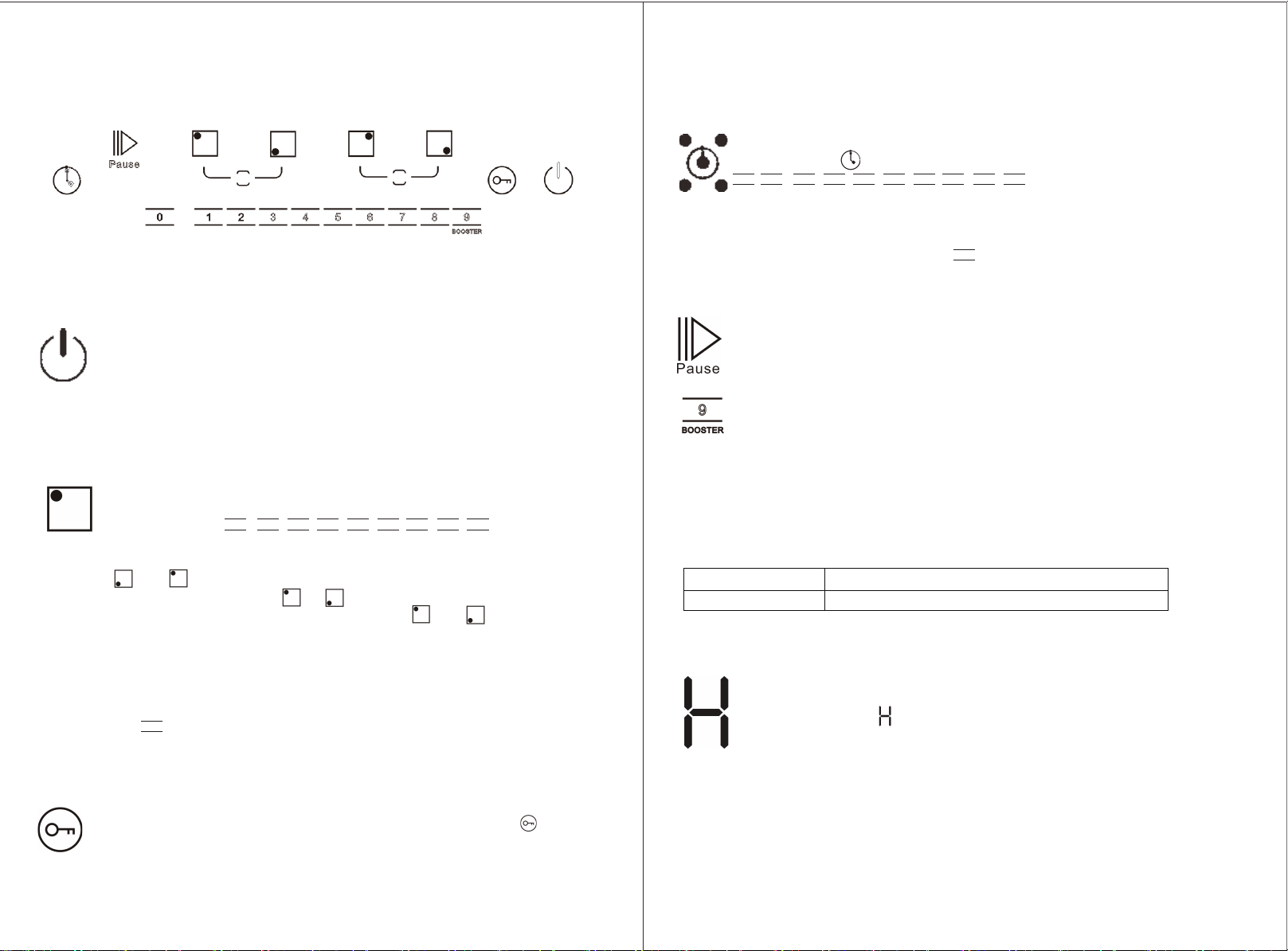
CONTROL PANEL LAYOUT
Switching the hob ON/OFF
Switching on and adjusting cooking zones
Deactivation of cooking zones
Child lock
54
To switch the hob ON, press the button and the cooking zone displays light up.
To switch off, press the same button until the displays switch off. All the cooking
zones are deactivated.
If the hob has been in use, the residual heat indicator “H” remains lit until the
cooking zones have cooled down.
If within 120 seconds of switching on, no heating zone is selected, the hob switches
off automatically.
This function locks the controls to prevent accidental switching on of the hob.
To activate the child lock function, switch on the hob and hold button for 3 seconds;
the timer shows Lo. Then the control panel is locked. To deactivate the control panel
lock, repeat the activation procedure. The Lock goes off and the hob is active again.
Once the hob is switched on and the pan is positioned on the chosen cooking zone,
select the zone using the corresponding button: the display shows level 0.
Each cooking zone has various power levels,
adjustable with the / / / / / / / / buttons,
going from “1”: min. level, to “9”: max. level.
Select the cooking zone you wish to switch off. Press the corresponding button.
Press the key “ ” to set the level to “0”. The cooking zone switches off and the residual
heat indicator “H” lights up.
1
0
2 3 4 5 6 7 8 9
0
10 2 3 4 5 6 7 8 9
Press and in the meantime, the lights will be on and the whole cooking zone
corresponding will be open, press or alone, the lights will be off and only one single
cooking zone corresponding selected, if you press again and in the meantime,
the lights will be off and the whole cooking zone corresponding will be deactivated.
Pause
Auto switch off
Pause-Button: When this button is pressed, the cooktop stops working. Press the
button again and the cooktop begins to work again.
The hob will automatically switch off when you do not set cooking time, forget to switch
off the hob, or do not operate the hob at all. The relationship between the power level
and default switch off time is shown in below figure.
Timer
The timer can be used to set cooking time for a maximum of 99 minutes
(1 hour and 39 minutes) for all cooking zones.
Select the cooking zone to be used with the timer, press the button with
the clock symbol then set the desired cooking time using the
/ / / / / / / / / buttons of the timer function
(see figure). After a few seconds, the timer begins the countdown.
Once the set time has elapsed, an acoustic signal sounds and the hob switches
off automatically.
To deactivate the timer, press the “ ” button to set the display showing “00”
or hold the button with the clock symbol for at least 4 seconds.
Power level
The hob automatically switches off after
1-9
2 hours
CONTROL PANEL WARNINGS
Incorrect or missing pot indicator – Error code “E0”
If you are using a pot that is not suitable,
not correctly positioned or not of the correct dimensions for your induction hob,
the symbol” E0” mean “no pot” will appear in the display (see figure at side). If no pot is
detected within 180 seconds, the hob switches off.
Residual heat indicator
The hob is fitted with a residual heat indicator for each cooking zone.
These indicators alert the user when cooking zones are still hot.
If the display shows , the cooking zone is still hot. If the residual heat
indicator of a given cooking zone is lit, that zone can be used, for example,
to keep a dish warm or to melt butter. When the cooking zone cools down,
the display goes off.
If you press the button, the cooking zone selected will be in level 9, press again
the button, the cooking zone selected will be in booster,
and if you press it again the booster will be deactivated.
Flex
zone
Download de handleiding in het Nederlands en/of Engels (PDF, 3.11 MB)
(Denk aan het milieu en print deze handleiding alleen als dat echt noodzakelijk is)

Loading…

Meer over deze handleiding

We begrijpen dat het prettig is om een papieren handleiding te hebben voor je KB Elements ELK104PF Kookplaat. Je kunt de handleiding bij ons altijd downloaden en daarna zelf printen. Indien je graag een originele handleiding wilt hebben, raden we je aan contact op te nemen met KB Elements. Zij kunnen wellicht nog voorzien in een originele handleiding. Zoek je de handleiding van KB Elements ELK104PF Kookplaat in een andere taal? Kies op de homepage je taal naar keuze en zoek daarna op het modelnummer om te zien of we deze beschikbaar hebben.

Specificaties

Merk KB Elements
Model ELK104PF
Categorie Kookplaten
Bestandstype PDF
Bestandsgrootte 3.11 MB

Alle handleidingen voor KB Elements Kookplaten
Meer handleidingen voor Kookplaten

Veelgestelde vragen over KB Elements ELK104PF Kookplaat

Ons supportteam zoekt dagelijks naar nuttige productinformatie en antwoorden op veelgestelde vragen. Als er onverhoopt toch een onjuistheid tussen onze veelgestelde vragen staat, laat het ons dan weten via het contactformulier.

Welke pannen kan ik gebruiken op een inductie kookplaat? Geverifieerd

In de regel zijn alle pannen die magnetisch zijn te gebruiken op een inductie kookplaat. Bijna alle nieuwe pannen zijn geschikt voor inductie.

Ik vind dit nuttig (1510) Lees meer

Mijn kookplaat heeft een stekker die niet in een normaal stopcontact past, wat moet ik doen? Geverifieerd

Veel elektrische kookplaten (zowel keramisch and inductie) hebben een andere stekker. Dit is omdat deze apparaten veel vermogen hebben. Laat de installatie van het apparaat over aan aan professional.

Ik vind dit nuttig (1497) Lees meer

Waarom maakt de vonkontsteking van mijn fornuis constant een klikkend geluid? Geverifieerd

Als het fornuis met veel water is gereinigd kunnen de knoppen vochtig geworden zijn, waardoor deze in werking kunnen treden. Laat de knoppen drogen. Als het probleem hierdoor niet is opgelost, neem dan contact op met de fabrikant.

Ik vind dit nuttig (1274) Lees meer

Beoordeling

Laat ons weten wat je van de KB Elements ELK104PF Kookplaat vindt door een beoordeling achter te laten. Wil je je ervaringen met dit product delen of een vraag stellen? Laat dan een bericht achter onderaan de pagina.
Bent u tevreden over de KB Elements ELK104PF Kookplaat?
Ja Nee
Beoordeel dit product als eerste
0 stemmen

Praat mee over dit product

Laat hier weten wat jij vindt van de KB Elements ELK104PF Kookplaat. Als je een vraag hebt, lees dan eerst zorgvuldig de handleiding door. Een handleiding aanvragen kan via ons contactformulier.

Handleiding KB Elements ELK104PF Kookplaat

Gerelateerde producten

Gerelateerde categorieën

×
Download