
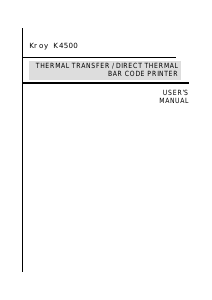
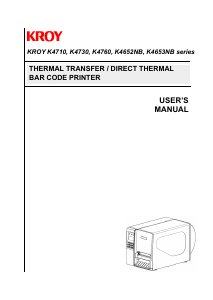
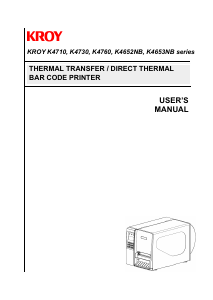
Handleiding Kroy K4652 Labelprinter
Handleiding voor je Kroy K4652 Labelprinter nodig? Hieronder kun je de handleiding gratis bekijken en downloaden als PDF in het Nederlands en/of Engels. Dit product heeft 0 veelgestelde vragen, 0 comments en heeft 0 stemmen. Is dit niet de handleiding die je zoekt, neem dan contact met ons op.
Is je product kapot en biedt de handleiding geen oplossing meer? Dan kun je voor reparatie gratis terecht bij Repair Café.
Handleiding
Loading…

Loading…
Meer over deze handleiding
We begrijpen dat het prettig is om een papieren handleiding te hebben voor je Kroy K4652 Labelprinter. Je kunt de handleiding bij ons altijd downloaden en daarna zelf printen. Indien je graag een originele handleiding wilt hebben, raden we je aan contact op te nemen met Kroy. Zij kunnen wellicht nog voorzien in een originele handleiding. Zoek je de handleiding van Kroy K4652 Labelprinter in een andere taal? Kies op de homepage je taal naar keuze en zoek daarna op het modelnummer om te zien of we deze beschikbaar hebben.
Specificaties
| Merk | Kroy |
| Model | K4652 |
| Categorie | Labelprinters |
| Bestandstype | |
| Bestandsgrootte | 0.26 MB |
Alle handleidingen voor Kroy Labelprinters
Meer handleidingen voor Labelprinters
Beoordeling
Laat ons weten wat je van de Kroy K4652 Labelprinter vindt door een beoordeling achter te laten. Wil je je ervaringen met dit product delen of een vraag stellen? Laat dan een bericht achter onderaan de pagina.
Praat mee over dit product
Laat hier weten wat jij vindt van de Kroy K4652 Labelprinter. Als je een vraag hebt, lees dan eerst zorgvuldig de handleiding door. Een handleiding aanvragen kan via ons contactformulier.