Handleiding MasterLock X055ML Kluis

Handleiding voor je MasterLock X055ML Kluis nodig? Hieronder kun je de handleiding gratis bekijken en downloaden als PDF in het Nederlands en/of Engels. Dit product heeft 3 veelgestelde vragen, 0 comments en heeft 1 stem met een gemiddelde score van 0/100. Is dit niet de handleiding die je zoekt, neem dan contact met ons op.

Is je product kapot en biedt de handleiding geen oplossing meer? Dan kun je voor reparatie gratis terecht bij Repair Café.

Handleiding

Loading…
Bolt-Down Instructions
To help provide maximum security, it is highly recommended
that you bolt down your safe.
Set the safe in the place you intend to bolt it down and open the
door.
Using a pencil mark the floor through the holes provided in the
bottom or back of your safe.
Move the safe away and drill holes of the appropriate diameter
and depth for the type of hardware being used and the mounting
surface.
Place the safe back over the holes and install the fasteners as
required.
Note: It is not recommended to attempt to bolt your safe to
both the floor and wall. If bolting to a wall, please ensure the
safe is resting on a supporting surface such as a table or shelf.
Thank you for choosing Master Lock to store all your important documents and valuables.
We hope that this product will help you stay organized and provide you with the peace-of-mind of knowing the things most important to you are protected.
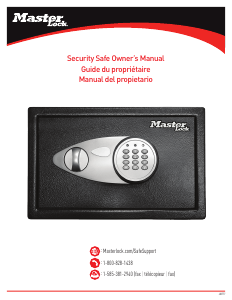
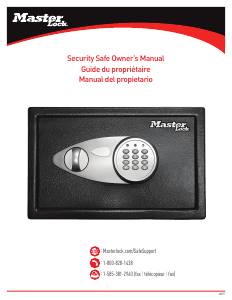
Security Safe
Register Your Master Lock
Product
Registering your Master Lock product allows you to securely
store combinations, access your owner’s manual and more.
Registering your safe will also help our customer care team give
the best service possible if you ever have a question or concern.
Sign up today at masterlock.com/saferegistration.
For Key Lock Security Safes
Your Master Lock product is equipped with a high security key lock.
Two (2) keys are provided.
For Digital Security Safes
Opening Your Safe for the First Time (Using the Override Key)
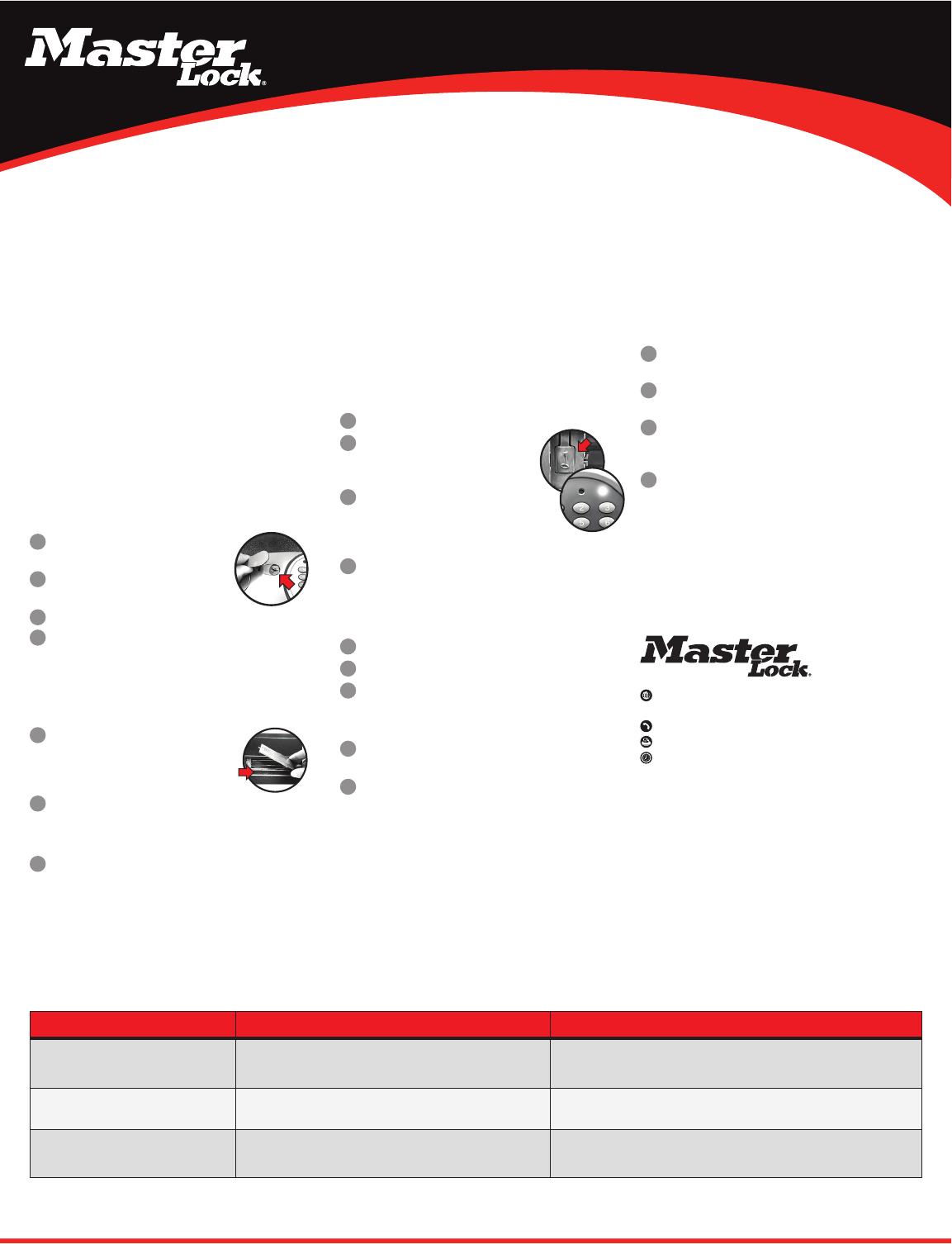
Remove the cover located between the knob
and keypad.
Insert the override key provided and turn
counterclockwise.
Turn the knob clockwise to open the door.
Turn key back clockwise to remove the key and replace the cover
on the door.
Note: In an emergency, situation the safe can be opened using your
override key. DO NOT store your override key inside the safe.
Installing the Batteries
With the door open, remove the battery
compartment cover located on the inside of the
door by sliding the cover in the direction of the
arrow.
Install four (4) AA size alkaline batteries.
Note: Follow the polarity (+/-) markings in the battery
compartment to ensure proper installation.
Slide the battery cover back into place.
Note: Do not use rechargeable batteries or any other type of
non-alkaline battery. Do not mix old and new batteries. Do not mix
alkaline and other battery types.
Using Your Security Safe
IMPORTANT: All security safe models initially work using the
factory code 1-7-5-0-0 -#. It is highly recommended and important
to the security of your valuables that you re-program the safe with a
new user code. Once reprogrammed the factory code can no longer be
used to open your safe.
Programming Your New User Code
Open the safes door and remove the battery compartment cover.
Locate the button inside the battery
compartment and press. The yellow LED light
will go on.
Enter a new user code (between 2-8 digits)
followed by the “#” key. The yellow LED light will
go off to indicate the new code has been accepted
and stored.
Replace the battery compartment cover.
Note: Always test a new code before storing any valuables
inside the safe.
Unlocking Your Safe
Enter your factory code or user code followed by #.
The green LED light will go and remain on for 5 seconds.
Within 5 seconds, turn the knob clockwise and pull open
the door.
Locking Your Safe
With the bolts retracted into the door, firmly close the door of
the safe.
Turn the knob in the counter-clockwise direction to secure your
safe.
3
3
4
2
2
1
1
1
1
2
2
4
3
2
3
1
1
2
3
4
THE PROBLEM: WHY IT IS HAPPENING: THE SOLUTION:
A red LED light goes on when a button is
pressed.
Battery power is low. Install four (4) new AA size alkaline batteries.
Open with override key.
Digital lock is unresponsive when attempting
to press in code.
Battery power is low. Install four (4) new AA size alkaline batteries.
Open with override key.
5 beeps and a yellow LED light after entering
your code.
Invalid code. Wait one minute and retry your code.
Open with override key.
Troubleshooting
Customer Care
Our US-based customer care team is happy to help.
:
masterlock.com/safesupport
Milwaukee, Wisconsin 53210 U.S.A.
:
1-800-828-1438
:
1-585-381-2940 (fax)
:
(8 a.m. -6 p.m. E.S.T. Monday-Friday)
Got a question? We’re happy to help!
If you ever have any questions regarding your Master Lock product or
need to order a new key, please give us a call at 1-800-828-1438 or
visit our website at masterlock.com/safesupport. Many concerns can be
resolved quickly over the phone.
Download de handleiding in het Nederlands en/of Engels (PDF, 1.29 MB)
(Denk aan het milieu en print deze handleiding alleen als dat echt noodzakelijk is)

Loading…

Meer over deze handleiding

We begrijpen dat het prettig is om een papieren handleiding te hebben voor je MasterLock X055ML Kluis. Je kunt de handleiding bij ons altijd downloaden en daarna zelf printen. Indien je graag een originele handleiding wilt hebben, raden we je aan contact op te nemen met MasterLock. Zij kunnen wellicht nog voorzien in een originele handleiding. Zoek je de handleiding van MasterLock X055ML Kluis in een andere taal? Kies op de homepage je taal naar keuze en zoek daarna op het modelnummer om te zien of we deze beschikbaar hebben.

Specificaties

Merk MasterLock
Model X055ML
Categorie Kluizen
Bestandstype PDF
Bestandsgrootte 1.29 MB

Alle handleidingen voor MasterLock Kluizen
Meer handleidingen voor Kluizen

Veelgestelde vragen over MasterLock X055ML Kluis

Ons supportteam zoekt dagelijks naar nuttige productinformatie en antwoorden op veelgestelde vragen. Als er onverhoopt toch een onjuistheid tussen onze veelgestelde vragen staat, laat het ons dan weten via het contactformulier.

Het slot van mijn elektronische kluis opent niet, terwijl ik zeker weet dat mijn code juist is, wat kan ik doen? Geverifieerd

Dit kan komen doordat de batterijspanning te laag is. Dit komt voor bij goedkope batterijen of batterijen die bijna leeg zijn. Vervang de batterijen en probeer het opnieuw. Als dit het probleem niet oplost, neem dan contact op met de fabrikant.

Ik vind dit nuttig (1499) Lees meer

Ik ben de code van mijn kluis kwijt, wat kan ik doen? Geverifieerd

In het geval van een kluis met een elektronisch slot is er vaak een meegeleverde noodsleutel waarmee de kluis alsnog geopend kan worden. Als er geen noodsleutel of andere oplossing voorhanden is, dan zijn er gespecialiseerde bedrijven die kunnen helpen. In het geval een kleine kluis kunnen de kosten van een specialist echter hoger zijn dan die van een nieuwe kluis. In dat geval is de laatste optie om de kluis zelf open te breken.

Ik vind dit nuttig (723) Lees meer

Wanneer is het nuttig om mijn kluis te verankeren? Geverifieerd

Over het algemeen is het aan te raden een kluis van minder dan 1000 kilo te verankeren. Dit voorkomt dat een dief de kluis in zijn geheel meeneemt. Ook kan het zijn dat een verzekeraar eist dat een kluis verankerd is. Laat het verankeren altijd uitvoeren door een specialist.

Ik vind dit nuttig (204) Lees meer

Beoordeling

Laat ons weten wat je van de MasterLock X055ML Kluis vindt door een beoordeling achter te laten. Wil je je ervaringen met dit product delen of een vraag stellen? Laat dan een bericht achter onderaan de pagina.
Bent u tevreden over de MasterLock X055ML Kluis?
Ja Nee
0%
100%
1 stem

Praat mee over dit product

Laat hier weten wat jij vindt van de MasterLock X055ML Kluis. Als je een vraag hebt, lees dan eerst zorgvuldig de handleiding door. Een handleiding aanvragen kan via ons contactformulier.

Handleiding MasterLock X055ML Kluis

Gerelateerde producten

Gerelateerde categorieën

×
Download