Handleiding SoundBot SB270 Headset

Handleiding voor je SoundBot SB270 Headset nodig? Hieronder kun je de handleiding gratis bekijken en downloaden als PDF in het Nederlands en/of Engels. Dit product heeft 6 veelgestelde vragen, 0 comments en heeft 0 stemmen. Is dit niet de handleiding die je zoekt, neem dan contact met ons op.

Is je product kapot en biedt de handleiding geen oplossing meer? Dan kun je voor reparatie gratis terecht bij Repair Café.

Handleiding

Loading…
1
2
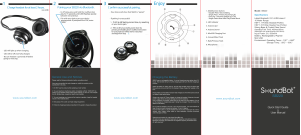
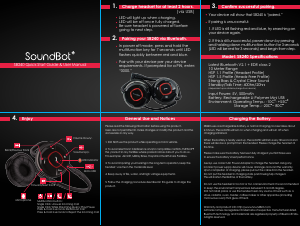
3Charge headset for at least 3 hours.
(via MicroUSB)
- Red LED will light up when charging.
- Red LED will be o once fully charged.
- Be sure headset is powered o before
going to next step.
Pairing your SB270 via Bluetooth.
- Press and hold the multifunction key for 7
seconds until blue and red lights ash.
- Enable the Bluetooth function on the mobile
phone or computer or other pairing device.
- Search for Bluetooth devices from your
pairing device (phone, tablet or PC).
- Select “SB270” and connect. A beep will
conrm successful pairing.
Power on: 3 rapid blinks of blue light
Power o: 3 rapid blinks of red light blinks
Standby: blue light blinks once every 5 seconds
Incoming call: quick continuous blinks of blue light
In use: blue light blinks once every 5 seconds
Charging mode: red light stays on or blinks
Fully charged: red light will be turned o
Low battery alarm: red light blinks once every 30 seconds
LED Indicators
SENSORY TOUCH CONTROL
Voice Dialing
- Double click the multifunction button
(Note: Your phone must support this function)
Touch Controls (one notch per swipe)
- Pause/Play music: Touch the middle of headphone
and press lightly to play or pause the music.
- Increase/decrease volume: Use one nger to slide
from the top to the bottom to decrease the volume
and vice versa to increase volume.
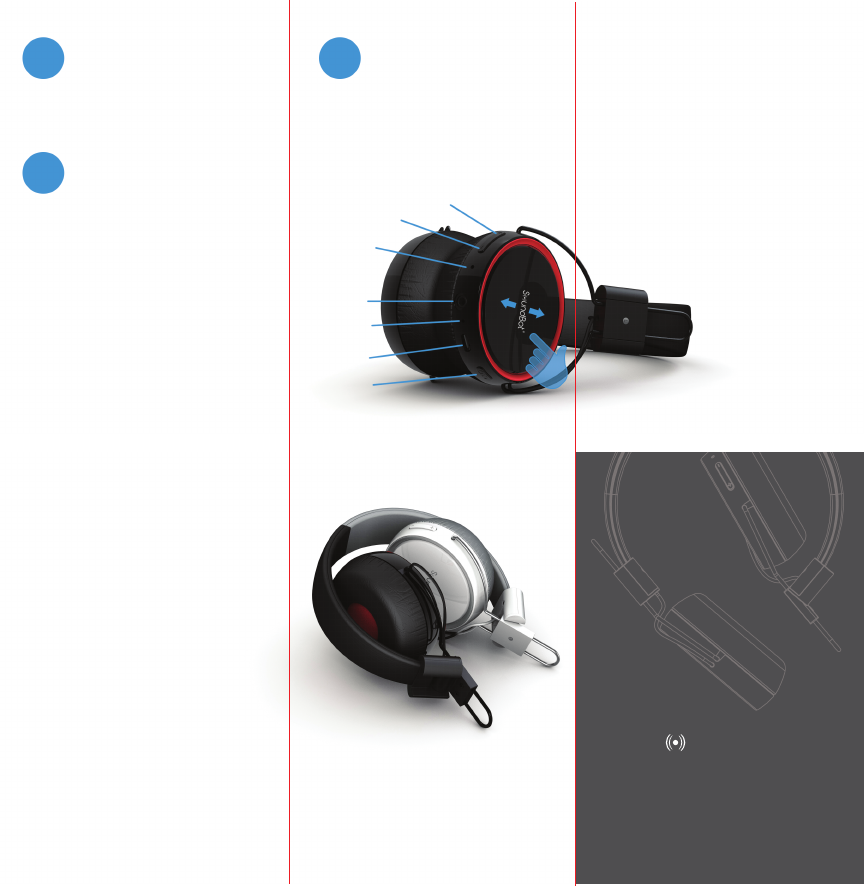
volume+/next track
volume-/previous track
microphone
3.5mm audio port
LED
micro usb port
multifunction button
Basic Operation
Powering on: Press and hold multifunction button for 3 seconds. Blue light
blinks 3 times and headphone beeps to indicate that power is on.
Answering a call: Short press multifunction button to take the call.
Ending a call: Short press multifunction button until headphone beeps.
Rejecting a call: Press and hold the multifunction button for two seconds
until headphone beeps.
Switching conversation from headphone to mobile phone: Press
multifunction button for 2 seconds, voice will be switched from headphone
to mobile phone and vice versa.
Redialing last dialed number: In stanby mode, press volume(+) button for 3
seconds until the beeping notification takes place.
Microphone mute: Press and hold volume(-) button for 2 seconds until the
headphone beeps. Press and hold volume(-) button for 2 seconds to
unmute.
Volume adjustment: short press volume(+) button to increase volume,
short press volume(-) button to decrease volume.
Play/Pause: Short press multifunction button can to play/pause music.
Forward/backward: Long press volume(-) button to play the last song, long
press volume(+) button to play next song.
Pairing mode: Deactivates automatically within 3 minutes when no device
is connected.
Auto power-off: SB270 will shut off automatically after 10 minutes of idle
activity.
Manual power-off: Press multifunction button for 6 seconds until red light
blinks 3 times and headphone beeps.
- Backward/forward: Use two ngers (the ngers
need to be spread out) to slide from the top to the
bottom to play the next song and vice versa for
previous track.
Features
Music play time: 14 hours
Talk time: 12 hours
Range: up 10 meters or 33 feet
Bluetooth standard: Bluetooth 3.0 +
EDR version with AVRCP and A2DP
Speaker: 40mm driver speaker x 2
Minimum voltage: 5V 200mAh
S undBot®
SB270
Quick Start Guide
&
User Manual
www.soundbot.com
experience audio excellence.
live the state of art technology.
feel the difference.
General Use and Notices
Please read the following information before using this product.
Users are not permitted to make changes or modify the product and the accessories in any way.
1. DO NOT use the product while operating a motor vehicle.
2. To avoid electronic interference and/or compatible conflicts, TURN OFF the product in any
facilities where posted notices instruct you to do so. For example: Aircraft, Military Base, Hospital
or Health Care Facilities.
3. To avoid impairing your hearing in the long-term operation, keep the headset volume in the
moderate level.
4. Keep away of fire, water, and high voltage equipment.
5. Follow the charging procedure described in this guide to charge the product.
Charging the Battery
SB270 uses a rechargeable battery. A normal charging process takes about 3 hours. The red LED
will turn on when charging and will turn off when charging is finished.
When the battery is nearly used up, the red LED will flash every 30 seconds and there will also be
a prompt from the headset. Please charge the headset at this time.
Please make sure the battery has been fully charged your first three uses to ensure the battery’s
best performance.
Always use proper AC Power Adapter (not included) to charge the headset. Using any incorrect
power supply device will cause damage and void the warranty.
Upon completion of charging, please pull out the cable from the headset t. Do not put the headset
in charging state past it being fully charged. This will shorten the lifetime of the battery.
Do not use the headset in extreme hot or cold environment. It is recommended to keep the
environment temperature between 15 and 25 degrees Celsius.
Do not install, place or use the headset near any source of heat such as a stove, radiator, oven,
toaster, coffee maker or other apparatus (including microwave oven) that gives off heat.
SoundBot® is a registered trademark of SoundBot.
Warranty and product info: http://www.soundbot.com
All trade names are registered trademarks of respective manufacturers listed.
Bluetooth technology and trademark are registered property of Bluetooth SIG.
All rights reserved.
Download de handleiding in het Nederlands en/of Engels (PDF, 10.53 MB)
(Denk aan het milieu en print deze handleiding alleen als dat echt noodzakelijk is)

Loading…

Meer over deze handleiding

We begrijpen dat het prettig is om een papieren handleiding te hebben voor je SoundBot SB270 Headset. Je kunt de handleiding bij ons altijd downloaden en daarna zelf printen. Indien je graag een originele handleiding wilt hebben, raden we je aan contact op te nemen met SoundBot. Zij kunnen wellicht nog voorzien in een originele handleiding. Zoek je de handleiding van SoundBot SB270 Headset in een andere taal? Kies op de homepage je taal naar keuze en zoek daarna op het modelnummer om te zien of we deze beschikbaar hebben.

Specificaties

Merk SoundBot
Model SB270
Categorie Headsets
Bestandstype PDF
Bestandsgrootte 10.53 MB

Alle handleidingen voor SoundBot Headsets
Meer handleidingen voor Headsets

Veelgestelde vragen over SoundBot SB270 Headset

Ons supportteam zoekt dagelijks naar nuttige productinformatie en antwoorden op veelgestelde vragen. Als er onverhoopt toch een onjuistheid tussen onze veelgestelde vragen staat, laat het ons dan weten via het contactformulier.

Werkt bluetooth door muren en plafonds heen? Geverifieerd

Een bluetooth signaal kan door muren en plafonds heen, tenzij deze van metaal zijn. Afhankelijk van de dikte en het materiaal van de muur zal het signaal wel in sterkte afnemen.

Ik vind dit nuttig (109) Lees meer

Wanneer ik een headset op mijn apparaat aansluit, werkt deze niet goed. Wat kan ik doen? Geverifieerd

Het is mogelijk dat zich vuil heeft opgehoopt in de opening waar de headset is aangesloten, waardoor deze geen goed contact kan maken. De beste manier om dit schoon te maken is met perslucht. Laat dit bij twijfel door een professional doen.

Ik vind dit nuttig (27) Lees meer

Wat is ruisonderdrukking? Geverifieerd

Noise Cancelling is een techniek die vooral in hoofdtelefoons wordt gebruikt. Actieve geluidsbeheersing wordt gebruikt om de invloed van omgevingsgeluid te verminderen of te elimineren.

Ik vind dit nuttig (9) Lees meer

Tot welk geluidsniveau is het veilig voor kinderen? Geverifieerd

Kinderen krijgen sneller gehoorbeschadiging dan volwassenen. Daarom is het belangrijk om kinderen nooit bloot te stellen aan geluid dat luider is dan 85 dB. In het geval van koptelefoons zijn er speciale modellen voor kinderen. Bij luidsprekers of andere situaties moet u opletten dat het geluid dat niveau niet overschrijdt.

Ik vind dit nuttig (3) Lees meer

Kan ik het snoer na gebruik om het apparaat wikkelen? Geverifieerd

Je kunt dit beter niet doen, omdat het snoer hierdoor beschadigd kan raken. Het beste kunt u het snoer wikkelen zoals het was toen het product werd verpakt.

Ik vind dit nuttig (3) Lees meer

Wanneer is mijn muziek te luid? Geverifieerd

Geluiden boven de 80 decibel (dB) kunnen het gehoor beschadigen. Geluiden boven de 120 dB beschadigen onmiddellijk het gehoor. De ernst van de schade hangt af van hoe vaak en hoe lang het geluid aanwezig is.

Ik vind dit nuttig (1) Lees meer

Beoordeling

Laat ons weten wat je van de SoundBot SB270 Headset vindt door een beoordeling achter te laten. Wil je je ervaringen met dit product delen of een vraag stellen? Laat dan een bericht achter onderaan de pagina.
Bent u tevreden over de SoundBot SB270 Headset?
Ja Nee
Beoordeel dit product als eerste
0 stemmen

Praat mee over dit product

Laat hier weten wat jij vindt van de SoundBot SB270 Headset. Als je een vraag hebt, lees dan eerst zorgvuldig de handleiding door. Een handleiding aanvragen kan via ons contactformulier.

Handleiding SoundBot SB270 Headset

Gerelateerde producten

Gerelateerde categorieën

×
Download