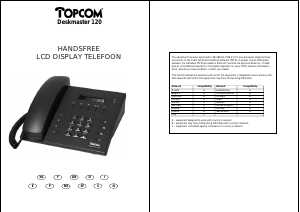
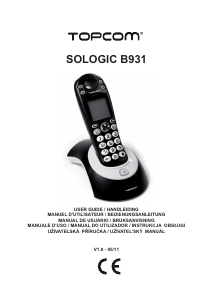
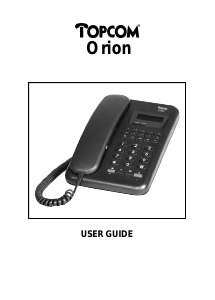
Handleiding Topcom TE-6603 Telefoon

Handleiding voor je Topcom TE-6603 Telefoon nodig? Hieronder kun je de handleiding gratis bekijken en downloaden als PDF in het Nederlands en/of Engels. Dit product heeft 0 veelgestelde vragen, 0 comments en heeft 0 stemmen. Is dit niet de handleiding die je zoekt, neem dan contact met ons op.

Is je product kapot en biedt de handleiding geen oplossing meer? Dan kun je voor reparatie gratis terecht bij Repair Café.

Handleiding

Loading…
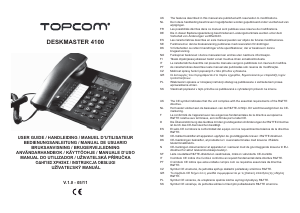
4 Topcom Deskmaster 4100
Topcom Deskmaster 4100
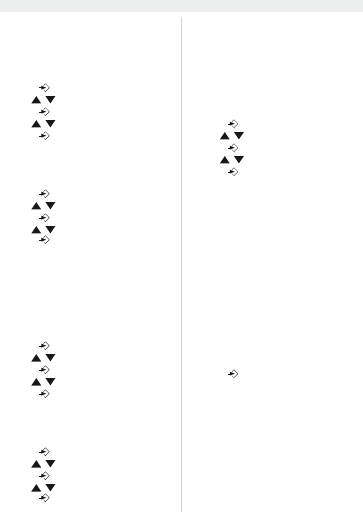
6.2 Set the area code
When you have a subscription to the caller ID
service it can be necessary in some countries to
enter your area code. When the telephone re-
ceives a caller ID it will remove the entered area
code from the incoming number.
Press to enter the menu
Use / to select “
6(7&RG(
Press to enter the area code settings
Use / to change
Press to move to the next digit.
6.3 Set the LCD contrast
There are 8 levels of LCD contrast (0..7). Choose
the most convenient level.
Press to enter the menu
Use / to select “
6(7/FG
Press to enter the LCD contrast settings
Use / to select the level
Press to confirm
You can also access the LCD-contrast settings,
just by pressing the R/LCD key
6.4 Set the PBX code
When your phone is connected to a PBX system
you can enter the PBX line access code.
The line access code will be added when dialling
out a number from the caller ID list.
Press to enter the menu
Use / to select “SET 4 PcodE”
Press to enter the settings
Use / to change select the digit
Press to move to the next digit
6.5 Select PULSE or TONE dialling
By default, the telephone is set for Tone dialling
(DTMF). Some old lines require pulse dialling.
Press to enter the menu
Use / to select “
6(73W
Press to enter the Pulse/Tone settings
Use / to select ‘toNE’ or ‘PULSE’
Press to confirm
6.6 Set the flash time
The R/LCD-key (flash) is used for services like
“Call waiting” (if this service is provided by your
telephone company) or to transfer calls when the
telephone is connected to a PBX-system.
Depending on the country, this flash-time can be
different.
The telephone supports 4 possibilities : 100, 300,
600 and 1000 msec.
Press to enter the menu
Use / to select “SET 6 FLASH”
Press to enter the FLASH settings
Use / to select your flash-time
Press to confirm
6.7 Ringer volume
At the back panel of the telephone you find a
switch that can be set in three positions : off, low
and high.
Choose the most comfortable volume setting
6.8 Anti-dialling from parallel line
You can prevent that other telephones, connected
to your line, can make a call.
When this function is activated you will be alarmed
when someone tries to make a call with another
telephone connected to your line.
Press and hold # for three seconds
“SPI oFF” appears
Press # again to activate “SPI on”
Press to confirm
Follow the same procedure to deactivate this
function (“SPI oFF”)
Download de handleiding in het Nederlands en/of Engels (PDF, 0.48 MB)
(Denk aan het milieu en print deze handleiding alleen als dat echt noodzakelijk is)

Loading…

Meer over deze handleiding

We begrijpen dat het prettig is om een papieren handleiding te hebben voor je Topcom TE-6603 Telefoon. Je kunt de handleiding bij ons altijd downloaden en daarna zelf printen. Indien je graag een originele handleiding wilt hebben, raden we je aan contact op te nemen met Topcom. Zij kunnen wellicht nog voorzien in een originele handleiding. Zoek je de handleiding van Topcom TE-6603 Telefoon in een andere taal? Kies op de homepage je taal naar keuze en zoek daarna op het modelnummer om te zien of we deze beschikbaar hebben.

Specificaties

Merk Topcom
Model TE-6603
Categorie Telefoons
Bestandstype PDF
Bestandsgrootte 0.48 MB

Alle handleidingen voor Topcom Telefoons
Meer handleidingen voor Telefoons

Beoordeling

Laat ons weten wat je van de Topcom TE-6603 Telefoon vindt door een beoordeling achter te laten. Wil je je ervaringen met dit product delen of een vraag stellen? Laat dan een bericht achter onderaan de pagina.
Bent u tevreden over de Topcom TE-6603 Telefoon?
Ja Nee
Beoordeel dit product als eerste
0 stemmen

Praat mee over dit product

Laat hier weten wat jij vindt van de Topcom TE-6603 Telefoon. Als je een vraag hebt, lees dan eerst zorgvuldig de handleiding door. Een handleiding aanvragen kan via ons contactformulier.

Handleiding Topcom TE-6603 Telefoon

Gerelateerde producten

Gerelateerde categorieën

×
Download