Handleiding Excalibur 404-2 Schaakcomputer

Handleiding voor je Excalibur 404-2 Schaakcomputer nodig? Hieronder kun je de handleiding gratis bekijken en downloaden als PDF in het Nederlands en/of Engels. Dit product heeft 0 veelgestelde vragen, 0 comments en heeft 1 stem met een gemiddelde score van 0/100. Is dit niet de handleiding die je zoekt, neem dan contact met ons op.

Is je product kapot en biedt de handleiding geen oplossing meer? Dan kun je voor reparatie gratis terecht bij Repair Café.

Handleiding

Loading…
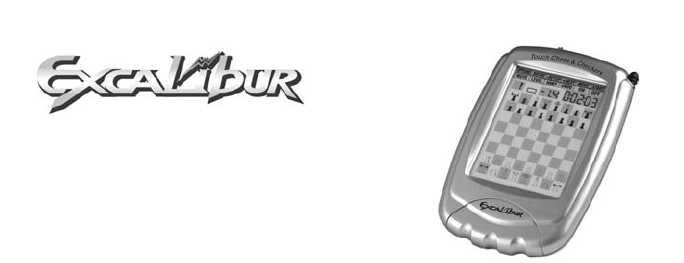
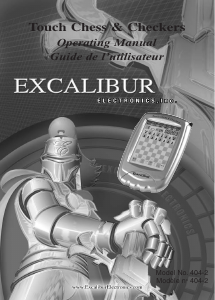
Touch Chess
& Checkers
Operating Manual
Model No. 404-2
Congratulations on your purchase
of Excalibur Electronics’ Touch
Chess & Checkers. You’ve pur-
chased both your own personal
chess trainer and a partner who’s
always ready for a game, and who
improves as you do.
Install the Batteries
If your unit has a Pull Tab, simply
pull the tab. You may discard the
tab once it has been pulled out. If
there is no Pull Tab, or to replace
batteries, the procedure is as fol-
lows: using a small Phillips screw-
driver, remove the battery compart-
ment panel screw on the back of
Touch Chess. Then remove the
panel by pulling gently from the top.
Install three fresh AG13 batteries,
making sure to follow the diagram in
each battery slot so that the polarity
(+ or -) of the batteries is correct.
Play a Game Right Away
After you have installed the batter-
ies, the display will show the chess
board with all the pieces on their
starting squares. The LCD will also
show 01CHESS. This indicates
you are at the first move of the
game and ready to play chess. If it
does not, use the stylus to press
the ACLbutton on the bottom of the
unit.
Adjust the display contrast for
best viewing. The contrast con-
trol is on the bottom of the unit.
Touch Chess gives you the White
pieces—the ones at the bottom of
the board. White always moves
first.
The way you select and make your
move is very simple. Think of com-
municating your move as a two-
step process–registering the
From
square and then registering the To
square of the move you wish to
make.
Using the supplied stylus (plastic
pen), press down gently on the
center of the square for the piece
1
Download de handleiding in het Nederlands en/of Engels (PDF, 1.23 MB)
(Denk aan het milieu en print deze handleiding alleen als dat echt noodzakelijk is)

Loading…

Meer over deze handleiding

We begrijpen dat het prettig is om een papieren handleiding te hebben voor je Excalibur 404-2 Schaakcomputer. Je kunt de handleiding bij ons altijd downloaden en daarna zelf printen. Indien je graag een originele handleiding wilt hebben, raden we je aan contact op te nemen met Excalibur. Zij kunnen wellicht nog voorzien in een originele handleiding. Zoek je de handleiding van Excalibur 404-2 Schaakcomputer in een andere taal? Kies op de homepage je taal naar keuze en zoek daarna op het modelnummer om te zien of we deze beschikbaar hebben.

Specificaties

Merk Excalibur
Model 404-2
Categorie Schaakcomputers
Bestandstype PDF
Bestandsgrootte 1.23 MB

Alle handleidingen voor Excalibur Schaakcomputers
Meer handleidingen voor Schaakcomputers

Beoordeling

Laat ons weten wat je van de Excalibur 404-2 Schaakcomputer vindt door een beoordeling achter te laten. Wil je je ervaringen met dit product delen of een vraag stellen? Laat dan een bericht achter onderaan de pagina.
Bent u tevreden over de Excalibur 404-2 Schaakcomputer?
Ja Nee
0%
100%
1 stem

Praat mee over dit product

Laat hier weten wat jij vindt van de Excalibur 404-2 Schaakcomputer. Als je een vraag hebt, lees dan eerst zorgvuldig de handleiding door. Een handleiding aanvragen kan via ons contactformulier.

Handleiding Excalibur 404-2 Schaakcomputer

Gerelateerde producten

Gerelateerde categorieën

×
Download