
型号:715209(GC-52W) 材质:105g铜板纸 尺寸:388(97)X141mm 工艺:双面印刷+四折页后再对折一次
Geng Started
• Remove the product from the box.
• Please retain all packaging aer you have checked and counted all the parts and
the contents against the list.
Package Contents
• 5,000mAh Power Bank with LCD Display
• Type-C to Type-C Charging Cable
• Bonus Magnec Ring included for Android phones (compable to wireless
charging)
• Instrucon Manual
Key Features
• 5,000mAh Power Bank with LCD Display
• Rapid charging up to 22.5W
• LCD baery level display
• Mag-Safe compable, it allows phone use while charging
• Type-C 1 input: DC 5V/2A, 9V/2A, 12V/1.5A
• Type-C 2 input: DC 5V/2.8A, 9V/2A, 12V/1.5A
• Type-C 2 output: DC 5V/3A, 9V/2.22A, 12V/1.67A (Max 20W)
• USB-A output: DC 5V/3A, 9V/2A, 10V/2.25A, 12V/1.5A (Max 22.5W)
• Wireless output: 5W/7.5W/10W/15W
• Magnec ring included for Android phones, enabling magnec wireless
charging
• Slim and portable for travel
Safety Instrucons
• Do not immerse in water or any other liquids.
• Do not operate the unit if it has been wet or moist to prevent against electric
shock, explosion and/or injury to yourself and damage to the unit.
• Do not use the unit if it has been dropped or damaged in any way.
• Repairs to electrical equipment should only be performed by a qualified
electrician. Improper repairs may place the user at serious risk.
• Do not use the unit with wet hands.
• Keep the unit free from dust, lint etc.
• Do not use this unit for anything other than its intended use.
• Keep the unit out of reach of children.
• This unit is not a toy.
2
IMPORTANT SAFETY INSTRUCTIONS AND WARNINGS
Never charge baeries unaended. When charging baeries, you should always
remain in constant observaon to monitor the charging process and react to
potenal problems that may occur.
If at any me you witness a baery starng to balloon, swell up, smoke or hot,
disconnue charging process immediately, disconnect the baery and observe
it in a safe place for approximately 15 minutes. This may cause the baery to
leak, and the reacon with air may cause the chemicals to ignite, resulng in fire.
• Do not let the device fall down the floor. The internal circuit might get
damaged.
• We suggest you put the baery in an enclosure to protect it from damages by
liquid or dropping from height accidentally.
• Never store or charge baery pack in extreme temperatures, since extreme
temperature could ignite fire.
• Store baery at room temperature between 40- and 80-degrees F for best
results.
• Do not expose baery pack to direct sunlight (heat) for extended periods.
• Storing baeries at temperatures greater than 170 degrees F for extended
periods of me (more than 2 hours) may cause damage to baery and
possible fire.
• Must keep baery pack away from children.
• Do not aempt to disassemble the device as it may cause damage.
3 41
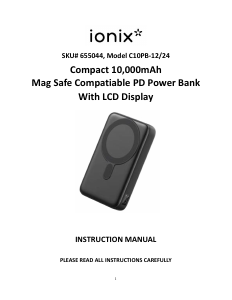
SKU# 715209, Model MFV-70/24
Compact 5,000mAh
Power Bank With
LCD Display
INSTRUCTION MANUAL
PLEASE READ ALL INSTRUCTIONS CAREFULLY
AND RETAIN FOR FUTURE USE
(Remarks: If USB-A and Type-C 2 outputs are used at the same me, the total output is 5V/3A max.)
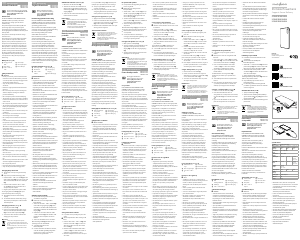
Descripon of Parts
No Funcon Operaon
1 On/Off Buon
(Mulfunconal)
·
·
2 Wireless Charging Area
Wireless output: 5W/7.5W/10W/15W
3 LCD Display
4
5
6
Short press to begin charging your devices
(connect the cable), if necessary.
Short press to see the remaining capacity.
Shows Power Bank baery capacity. (If fast charging/
discharging is acvated, green indicator is on.)
Input 5V/2.8A, 9V/2A, 12V/1.5A, output 5V/3A,
9V/2.22A, 12V/1.67A
Output 5V/3A, 9V/2A, 10V/2.25A, 12V/1.5A
Input 5V/2A, 9V/2A, 12V/1.5A
USB-A Output Port
Type-C 2 Input/Output Port
Type-C 1 Input Port
INSTRUCTIONS FOR USE
Charging your Power Bank
• Please use the Type-C to Type-C Charging Cable that is included in your pack.
Connect one end of the cable to the Type-C 1 or Type-C 2 input port. The other
end should be connected to your USB power source with output 5V/2A, 9V/2A,
12V/1.5A using Type-C 1 input port or with output 5V/2.8A, 9V/2A, 12V/1.5A
using Type-C 2 input port accordingly.
• While charging the Power Bank, the LCD display will show the baery capacity.
Once it is fully charged, 100% will stay on.
• Note: Before using the product for the first me, please charge the Power Bank
for about 3-4 hours (*depending on the rated input) or unl 100% will stay on.
Charging your iPhone, Smart Phones or any other USB Rechargeable
Devices with Type-C 2 or USB-A output –
• Please ensure that the Power Bank is fully charged and then unplugged.
• Please use the Type-C to Type-C charging cable to charge your device with Type-
C input charging port. Or use your device's USB charging cable that is applicable
to charge your device (not included), connect one end to the Type-C output or
USB-A output and the other end to your device.
• It would start charging your device.
Wireless charging
• Please ensure that the Power Bank is fully charged.
• Short press the ON/OFF buon to start Wireless Charging funcon of the Power
Bank.
• Place your iPhone (new generaon that is MagSafe compable) or other
smartphone (Qi compable with magnec back) onto the Wireless Charging
Area of the unit.
• If you are using Android phone which has wireless charging funcon, you can
affix the bonus magnec ring on your phone and use magnec wireless
charging.
• It would start charging your phone.
REMARK:
a. If your phone model is compable with wireless charging and you are unable to
charge it wirelessly, please remove your phone case and retry.
b. Placement of some smart phones on the magnec surface for wireless charging
might need to be adjusted, for their internal components to make contact
appropriately and begin wireless charging.
5 6 7
Care and maintenance
Read the following recommendaons before using the Power Bank.
• Do not immerse in water or any other liquids. This may affect product's internal
circuit.
• Do not use abrasive cleaning solvents to clean the device.
• Do not expose the device to extremely high or low temperature as it may cause
the baery or distort certain plasc parts.
• Do not dispose of the device in fire as it may result in an explosion.
• Do not expose the device to contact with sharp objects as this will cause
scratches and damage.
• Do not drop the device on the floor. The internal circuit might get damaged, or
the baery may become damaged.
• Do not aempt to disassemble the device as it may cause damage.
Product Specificaons:
Power Bank with built-In rechargeable baery
Dimensions: 3.91” L x 2.53” W x 0.61” H
Weight: ~4.6 oz
operated in USA and Canada, and does not extend to any units which have been
used in violaon of wrien instrucons furnished by manufacturer or to units
which have been altered or modified or, to damaged products or parts thereof
which have had the serial number removed, altered, defaced or rendered illegible.
WARRANTY DISCLAIMERS: This warranty is in lieu of all warranes expressed or
implied and no representave or person is authorized to assume for manufacturer
any other liability in connecon with the sale of our products. There shall be no
claims for defects or failure under any theory of tort, contractor commercial law
including but not limited to, negligence, gross negligence, strict liability, breach of
warranty and breach of contract. Under no circumstances will Manufacturer's /
Distributor's maximum liability exceed the retail value of the product.
WARRANTY PERFORMANCE: During the above 90 day warranty period, a product
with a defect will be either repaired or replaced with a recondioned comparable
model (at manufacturer's opon). The repaired or replacement product will be in
warranty for the balance of the 90 day warranty period and an addional one-
month period. No charge will be applicable for such repair or replacement.
SERVICE AND REPAIR: If service is required for this product, you should first
contact Inspired Brands Customer Service at or by Support@inspired-brands.com
calling 1 (800) 246-0972, Monday to Friday 10am to 6pm EST.
NOTE:
Manufacturer cannot assume responsibility for loss or damage during incoming
shipment. As a precauonary measure, carefully package the product for
shipment, and insure it with the carrier. Be sure to enclose the following details
with the product: your full name, return address and dayme phone number, a
note describing the problem you experienced, a copy of your sales receipt or other
proof of purchase to determine warranty status. C.O.D. shipments cannot be
accepted.
Distributed by (Responsible party): Inspired Brands, LLC
Address: 2311 W Howard Street, Chicago, IL 60645
Telephone No.: 1 (800) 246-0972
Limited Warranty
This manufacturer's product warranty extends to the original consumer purchaser
of the product. Neither the retailer nor any other company involved in the sale
or promoon of this product is a co-warrantor of this manufacturer warranty.
WARRANTY DURATION: All materials and workmanship are warranted to the
original consumer purchaser for a period of ninety (90) days from the original
purchase date.
WARRANTY COVERAGE: This product is warranted against defecve materials or
workmanship. This warranty is void if the product has been damaged by accident,
in shipment, unreasonable use, misuse, neglect, improper service, commercial
use, repairs by unauthorized personnel or other causes not arising out of defects in
materials or workmanship. This warranty doesn't cover the following which may be
supplied with this product, including but not limited to; LCD Screens, glass parts,
lenses, bulbs etc. This warranty is effecve only if the product is purchased and
FCC Instrucons
Cauon: Changes or modificaons not expressly approved by the party responsible
for compliance could void the user's authority to operate the product.
NOTE: This product has been tested and found to comply with the limits for a Class
B digital device, pursuant to Part 15 of the FCC Rules. These limits are designed to
provide reasonable protecon against harmful interference in a residenal
installaon. This product generates, uses and can radiate radio frequency energy
and, if not installed and used in accordance with the instrucons, may cause
harmful interference to radio communicaons. However, there is no guarantee
that interference will not occur in a parcular installaon. If the product does
cause harmful interference to radio or television recepon, which can be
determined by turning the equipment off and on, the user is encouraged to try to
correct the interference by one or more of the following measures:
- Reorient or relocate the receiving antenna.
- Increase the separaon between the product and receiver.
- Connect the product into an outlet on a circuit different from that to which the
receiver is connected.
- Consult the dealer or an experienced radio/TV technician for help.
This device complies with Part 15 of the FCC Rules. Operaon is subject to the
following two condions: (1) this device may not cause harmful interference, and
(2) this device must accept any interference received, including interference that
may cause undesired operaon.
FCC RF exposure statement:
The device has been evaluated to meet general RF exposure requirement. The
device can be used in portable exposure condion without restricon.
8
TROUBLESHOOTING
Problem
Soluon
Baery capacity indicator does not light
up when charging the Power Bank
Power Bank does not charge device
once connected
Please ensure that Type-C to Type-C Charging
Cable and power source is connected properly.
Please ensure that your power source is On.
Please ensure that the included Type-C to Type-
C charging cable or your device's USB charging
cable is well-connected.




Praat mee over dit product
Laat hier weten wat jij vindt van de Ionix MFV-70/24 Mobiele oplader. Als je een vraag hebt, lees dan eerst zorgvuldig de handleiding door. Een handleiding aanvragen kan via ons contactformulier.