Reset
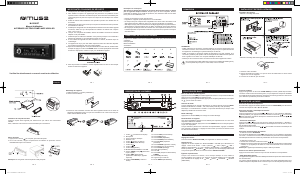
1. Do not attempt to modify the unit, modifying the unit may cause an accident.
2. Installation or servicing of the unit by persons without training and experience in
electronic equipment and automotive accessories may be dangerous and could
expose you to the risk of electric shock or other hazards.
3. Stop the vehicle before carrying out any operation that could interfere with your driving.
4. Keep the volume at a level which you could hear sounds from outside the vehicle.
5. Do not work in extremely high or low temperature. Be sure the temperature inside the
vehicle is between +60°C and -10°C before turning on your unit.
6. When replacing the fuse(s), the replacement must be of the same amperage as
shown on the fuse holder.
7. Do not block vents or radiator panels. Blocking them will cause heat to build up inside
and may result in re.
8. Using this unit without running the engine can result in battery drainage.
9. Use only in cars with a 12 volt negative ground.
10. After completing the installation or replacing the car battery, you need to RESET the
unit before using it. Press RESET button on the front panel with pointed object (such as
ball-point pen) to reset the unit to its initial settings.
M-198 BT
GB - 1
User Manual
CAR RADIO WITH BLUETOOTH & USB/SD
Please read the instruction carefully
before operating the unit.
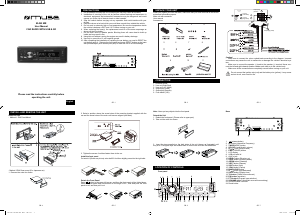
PRECAUTIONS UNPACK YOUR UNIT CONNECTION
INSTALLATION
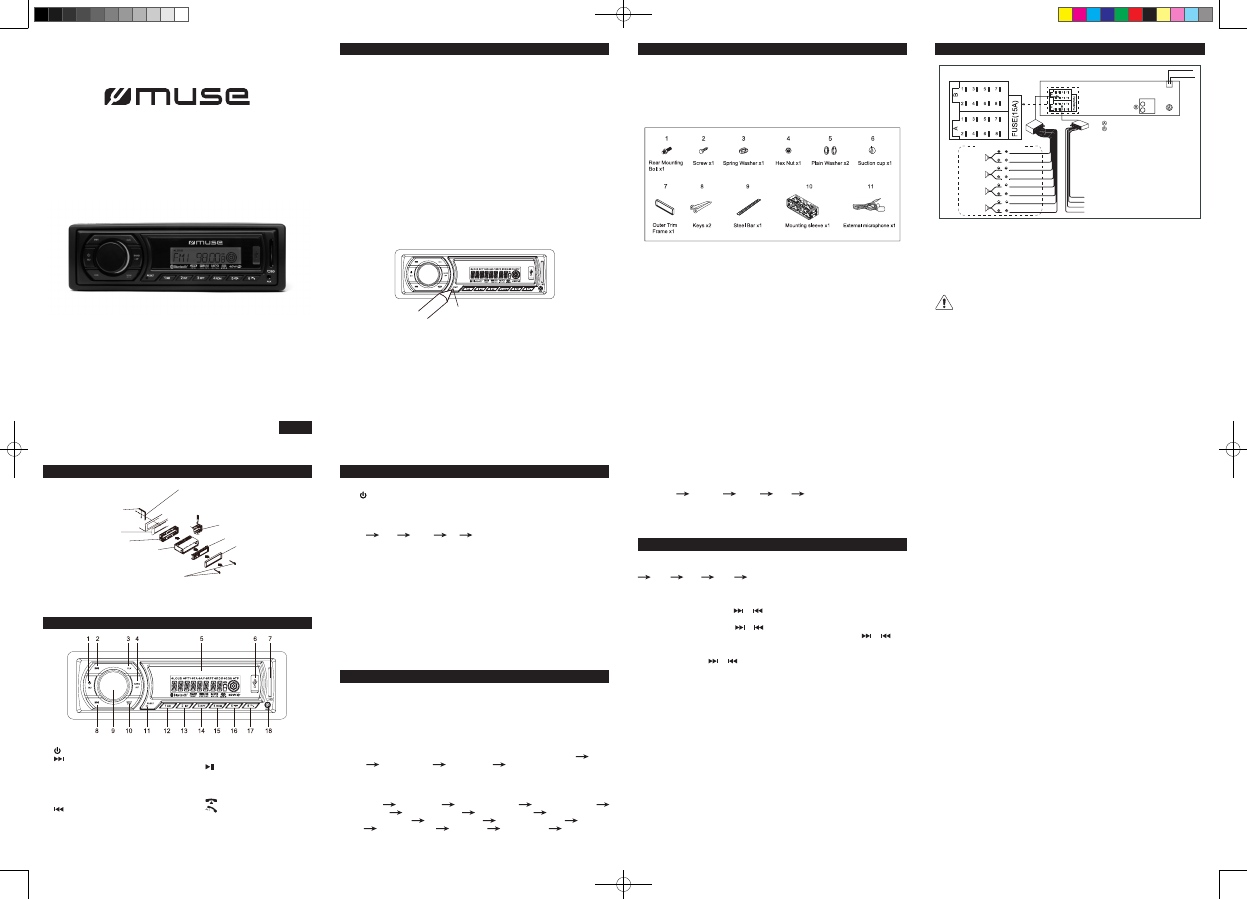
LOCATION OF CONTROLS
BASIC OPERATIONS
LISTENING TO THE RADIO
SOUND FEATURES
GB - 2 GB - 3
Do not connect the ignition wire (red) and the battery wire (yellow), it may cause
a short circuit, even result in re.
NOTE:
This unit does not have built-in mic, make sure the external microphone (supplied)
is connected when the unit is installed to the car.
GB - 4 GB - 5 GB - 6
When you unpack your new car radio, make sure that you have removed all the
accessories and information papers:
Main unit
User manual
Accessories:
GB - 7
English
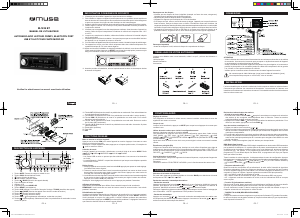
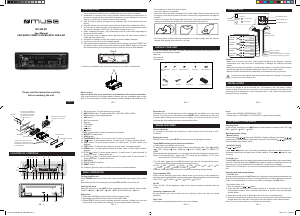
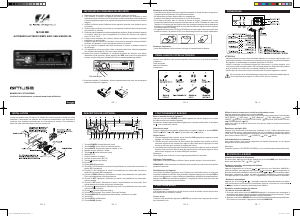
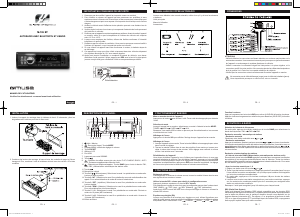
1. /MU button
2. button
3. CLK button
4. BAND / AP button
5. LCD display
6. USB port
7. SD/MMC card slot
8. button
9. SEL / Volume knob
10. MODE/PTY button
11. RESET button
12. 1 / button
13. 2 / INT button
14. 3 / RPT button
15. 4 / RDM button
16. 5 / /-10 button
17. 6 / /+10 button
18. AUX jack
Caution!
- Make sure to connect the color coded leads according to the diagram. Incorrect
connections may cause the unit to malfunction or damage the vehicle’s electrical system.
- Make sure to connect the speaker (-) leads to the speaker (-) terminal. Never connect
the left and right channel speaker cables each other or to the vehicle body.
- Make sure all the connections are completely correct before turning on your unit.
Turn on/off the unit
Press button to turn on the unit. Press and hold this button again to turn off the unit.
Note: When the unit is off, press any key to turn on the unit.
Selecting the mode
When the unit is on, press MODE button repeatedly to select different source mode:
TUNER USB CARD BT AUX.
Note: USB, CARD mode can not be selected if no such source was plugged in the unit.
Current time display
Press CLK button to display the current time when unit is ON.
Adjust time:
1. Press and hold CLK to enter into setting mode.
2. Rotate Volume knob anti-clockwise and clockwise to adjust the hour and minute value.
It will conrm your setting if no key is pressed for 5 seconds.
Reset the unit
Operating the unit for the rst time or after replacing the car battery, you must reset the
unit. To set the unit to initial status, press RESET button located on the base with a pointed
object. When some errors occur in display, you can also reset the unit, but it will erase
the clock setting and some memorized functions.
Selecting band
In tuner mode, repeatedly press BAND button to select bands in following order: FM1
FM2 FM3 MW1 MW2.
Manual / automatic tuning
- Manual Search
Choose your radio station with or .
- Automatic search
Press and hold for few seconds or . The automatic search locates strong stations.
A station with a weak signal can be set manually by repeatedly pressing or .
NOTE: During the search operation, the sound level is automatically muted.
- By number button 1- 6
1. Tune to a station by or button.
2. Press and hold one of the 1- 6 number buttons for 2 seconds until LCD shows the
corresponding number, which indicates that station is stored in the corresponding
number button.
3. Under radio mode, press 1- 6 Number buttons to listen to stored stations.
4. When you are listening to a station stored on a number button, press and hold another
number button for more than 2 seconds to store the station on this number button.
Note: The unit can be stored up to 6 stations for each band.
RDS (Radio Data System)
This unit has a built-in RDS decoder system that supports broadcast stations transmitting
RDS data. This system can automatically switch to the broadcast station with the best
reception as you move on long distances (AF switching). Also if a trafc announcement
(TA) or programme type (PTY) is broadcast from a RDS station, no matter what mode
you are in. this broadcast is received.
Press and hold SEL/volume knob, the unit will enter setting menu. Shortly press
SEL/volume knob to choose your desire item. Rotate SEL/volume knob to choose
corresponding setting desired.
- Alternative frequency (AF)
When the AF switching mode is selected, the radio scans the signal strength of alternative
frequencies. A new AF is stronger than the current station, it switches over to that frequency
for very short time, and the new frequency is displayed for 1-2 second. (When AF ashes
on LCD, it will search for the stronger RDS station.)
Segment off: AF switching mode off.
Segment on: AF switching mode on, and receive RDS information.
Segment ashing: AF switching mode on, but RDS information is not received yet.
- Trafc alarm (TA)
In the TA standby mode, when a trafc announcement broadcast starts, the trafc
announcement broadcast is received as top priority regardless of the function mode so
you can listen to it.
If you select TA mode off, while a trafc announcement broadcast is being received,
the trafc announcement broadcast reception is cancelled and the unit goes into the TA
standby mode.
- TA SEEK/TA ALM
TA SEEK mode: when newly tuned station does not receive TP information for 5 seconds,
the radio retunes to next station which has not the same station(PI) as the last station,
but has the TP information.
When TP information gets lost at the current station for retune time which is set by
RETUNE SHORT(60 seconds) or RETUNE LONG(90 seconds), the radio start to retune
to next same PI station. When same PI station is not received in 1 cyclic search, the radio
retunes to next station with TP information.
TA ALARM mode: when this mode is selected, any automatic retune mode is not activated.
Only double beep sound(ALARM) is out-put.
When newly tuned station does not have TP information for 5 seconds, beeps are sounded.
When TP information gets lost at the current station for retune time, the beep sound is
out-putted.
When newly tuned station has no RDS signal, PI SEEK may be suppressed.
- PI SOUND/ PI MUTE
PI SOUND mode: If a car is cruising between buildings, an oscillation phenomenon may
occur, due to different PI codes being received from the same AF.
PI MUTE mode: In above situation, the sound will be muted for less than 1 second.
- RETUNE L / RETUNE S
The initial time of automatic TA search or PI SEARCH mode is selected.
When PI information is not received during retune time , the radio start to retune to next
same PI station.
When same PI station is not received during 1 cyclic search, the radio goes to last station
and waits for 4-5 minutes until PI code is received.
RETUNE L mode: selected as 90 seconds.
RETUNE S mode: selected as 60 seconds.
Volume adjusting:
To increase or decrease the sound level, rotate VOLUME knob clockwise or anti-clockwise.
Muting the sound
When the unit is ON, press MU to mute the sound. Press again to restore.
Using SEL/volume knob to select sound feature
1) Repeatedly press SEL/volume knob
To select the desired mode for sound setting in the following order: “BASS” “TRE”
(Treble) “BAL” (Balance) “FAD” (Fader) “VOL”
After selecting the desired mode, you can adjust the level by rotating the volume knob.
2) In FM mode, press and hold SEL/volume knob, the unit will enter setting menu. Shortly
press SEL/volume knob will show below items:
TA(ON/OFF) AF(ON/OFF) TA(SEEK/ALARM) PI(SOUND/MUTE)
RETUNE(L/S) MASK(DPI/ALL) BEEP(ON/OFF) USER SET(FLAT/
CLASSIC/ROCK/POP) VOL(LAST/DEFA) EUROPE/AMERICA3 STEREO/
MONO LOUND(ON/OFF) DX/LOCAL CLK(ON/OFF) CLK(12/24)
After that, rotate SEL/volume knob to choose corresponding setting desired.
Preset equalizer (EQ)
When you are listening to pop music, classic music or rock music, use the equalizer to
adjust the sound quality. Rotate volume knob to select different equalizer mode in following
order: FLAT CLASSIC ROCK POP EQ off.
Beep Tone
Choosing corresponding status can turn on or turn off beep.
4 SPEAKER SYSTEM
Rear Left
speaker
Front Left
speaker
Front Right
speaker
Rear Right
speaker
(Green/Black)
(Green)
(White/ Black)
(White)
(Gray/ Black)
(Gray)
(Violet/ Black)
(Violet)
B1
B2
B3
B4
B5
B6
B7
B8
A8
A7
A5
A4
Ground wire (Black)
Ignition wire (Red)
Power Antenna Amplifier Turn on (Blue)
+12V Constant Power Supply (Yellow)
Antenna socket
RCA out front (white = L / Red = R)
BT ANTENNA
MIC IN
To boost up the capability of anti-jamming,
please make sure fix tightly the metal support
strap into the metal joint that connect to the
chassis of the car.
DASHBOARD
Bend the tabs on the metal mounting
sleeve against the DASHBOARD with
a screwdriver
METAL MOUNTING SLEEVE
METAL SUPPORT STARP
To remove the unit out of the metal mounting sleeve,
insert the two supplied KEYS into the left and right side
slots of the chassis at the same time. Then pull the chassis
out of the metal mounting sleeve as shown in the right
illustration.
PLASTIC TRIM RING
FRONT PANEL
UNIT CHASSIS
AR-3633 IB MUSE 001 REV0 GB.indd 1 2014/7/7 11:20:12


Praat mee over dit product
Laat hier weten wat jij vindt van de Muse M-198 BT Autoradio. Als je een vraag hebt, lees dan eerst zorgvuldig de handleiding door. Een handleiding aanvragen kan via ons contactformulier.