Handleiding Topcom TE-6603 Telefoon

Handleiding voor je Topcom TE-6603 Telefoon nodig? Hieronder kun je de handleiding gratis bekijken en downloaden als PDF in het Nederlands en/of Engels. Dit product heeft 0 veelgestelde vragen, 0 comments en heeft 0 stemmen. Is dit niet de handleiding die je zoekt, neem dan contact met ons op.

Is je product kapot en biedt de handleiding geen oplossing meer? Dan kun je voor reparatie gratis terecht bij Repair Café.

Handleiding

Loading…
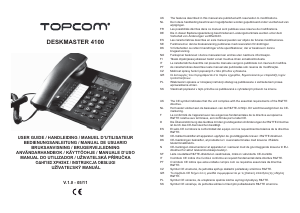
Topcom Deskmaster 4100 5
Topcom Deskmaster 4100
ENGLISH
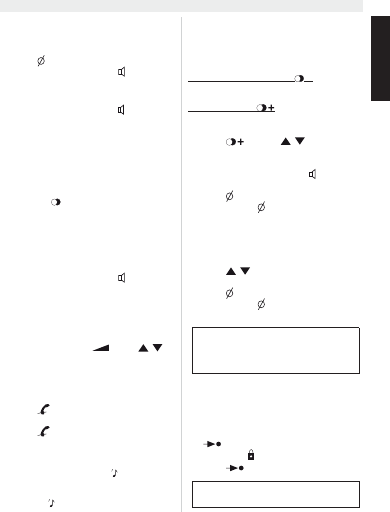
7 Operation
7.1 Making a call
Enter the telephone number
Press to delete a wrongly entered digit
Pick up the handset or press to make a
hands-free call
During a call made with the handset you can
switch to hands-free by pressing and hanging
up the handset.
In case the telephone is connected to a PBX sys-
tem it might be necessary to add a pause after the
PBX access code. The phone can generate a 4
second pause time.
For example:
0 P 012345678
Press the /P key to enter a pause
The call duration timer will start in the display 6
seconds after the number was dialled.
7.2 Receiving a call
When a call comes in, the phone will ring and
the Ringer LED will flash
Pick up the handset or press to take the
call hands-free
7.3 Set the volume level
During a call, you can adjust the speaker volume
in the handset or in the loudspeaker (hands-free
mode). There are 4 volume levels.
Press the volume key or use / to
set the volume level
7.4 Mute the microphone
During a call you can deactivate the microphone
and talk freely without the caller hearing you.
Press to activate ( “mutE” will appear in
the display)
Press again to continue your
conversation
7.5 Music on hold
During a call you can press the -key to put the
other party on hold. The other party will hear an
electronic melody.
press the -key to put the other party on hold
Press the key again to continue your
conversation.
7.6 Last number redial
The phone has two different redial keys
7.6.1 Last number redial /P
Press this key to redial the last number.
7.6.2 Redial list
The phone will store the 18 latest dialled numbers
together with the call duration.
Press and use / to go through
your latest dialled numbers (“OUT” will
appear in the display)
Pick up the handset or press to make a
hands-free call
Press to delete a number
Press and hold for three seconds to delete
all numbers
7.7 Caller ID
The phone can store up to 80 incoming numbers
together with the time and date of the call.
Press / to go through the incoming
numbers (“IN” will appear in the display)
Press to delete a number
Press and hold for three seconds to delete
all numbers
7.8 VIP numbers
In the incoming number list you can set special
numbers as VIP (Very important person).
When browsing the incoming number, press
/VIP to set the number as VIP
The symbol will appear in the display
•Press /VIP again to deselect VIP
Missed calls will be displayed together
with “NEW”
The Missed call LED will blink to indicate
one or more missed calls
When a number is set as VIP you cannot
delete it from the incoming number list.
Download de handleiding in het Nederlands en/of Engels (PDF, 0.48 MB)
(Denk aan het milieu en print deze handleiding alleen als dat echt noodzakelijk is)

Loading…

Meer over deze handleiding

We begrijpen dat het prettig is om een papieren handleiding te hebben voor je Topcom TE-6603 Telefoon. Je kunt de handleiding bij ons altijd downloaden en daarna zelf printen. Indien je graag een originele handleiding wilt hebben, raden we je aan contact op te nemen met Topcom. Zij kunnen wellicht nog voorzien in een originele handleiding. Zoek je de handleiding van Topcom TE-6603 Telefoon in een andere taal? Kies op de homepage je taal naar keuze en zoek daarna op het modelnummer om te zien of we deze beschikbaar hebben.

Specificaties

Merk Topcom
Model TE-6603
Categorie Telefoons
Bestandstype PDF
Bestandsgrootte 0.48 MB

Alle handleidingen voor Topcom Telefoons
Meer handleidingen voor Telefoons

Beoordeling

Laat ons weten wat je van de Topcom TE-6603 Telefoon vindt door een beoordeling achter te laten. Wil je je ervaringen met dit product delen of een vraag stellen? Laat dan een bericht achter onderaan de pagina.
Bent u tevreden over de Topcom TE-6603 Telefoon?
Ja Nee
Beoordeel dit product als eerste
0 stemmen

Praat mee over dit product

Laat hier weten wat jij vindt van de Topcom TE-6603 Telefoon. Als je een vraag hebt, lees dan eerst zorgvuldig de handleiding door. Een handleiding aanvragen kan via ons contactformulier.

Handleiding Topcom TE-6603 Telefoon

Gerelateerde producten

Gerelateerde categorieën

×
Download